

Was this helpful?


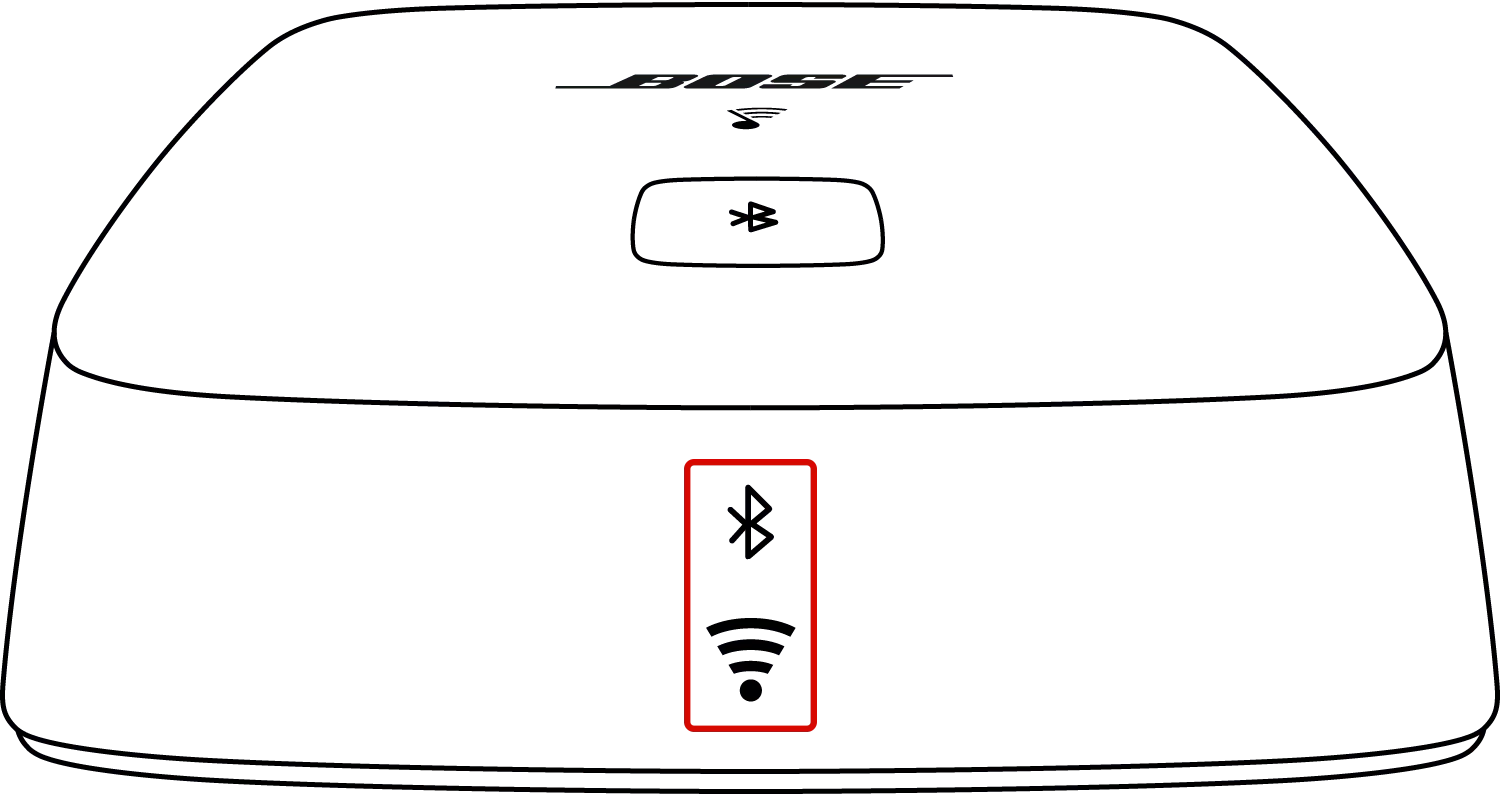
 Bluetooth LED
Status: Off
Bluetooth® source is not selected

Status: Blue, pulsing
System is in out-of-box language selection mode

Status: White, flashing fast
Bluetooth source is connecting
Status: White
Bluetooth source is connected

Status: White - flash twice, then solid
Another device is connected

Status: White - pulsing, then flash twice
Pairing list cleared
Note: Light pulses white (blue if no devices in memory) while button is held, then flashes twice to confirm pairing list is cleared
 Wi-Fi LED
Status: Off
No power or Wi-Fi disable

Status: White, blinking
Downloading system update

Status: White, blinking fast
Connecting to network

Status: White - solid for 3 seconds, then two blinks
Installing system update
Status: White, solid
Connected to network and powered on
Status: White, solid dim
Connected to network and powered off
Status: Amber, solid
System in setup mode (broadcasting "Bose SoundTouch Wi-Fi Network")

Status: Amber, flashing
Firmware error (contact Bose support)

Status: Amber, double blink
Invalid control button press
Note: Light returns to its previous state after double blink
.png)


