

Was this helpful?


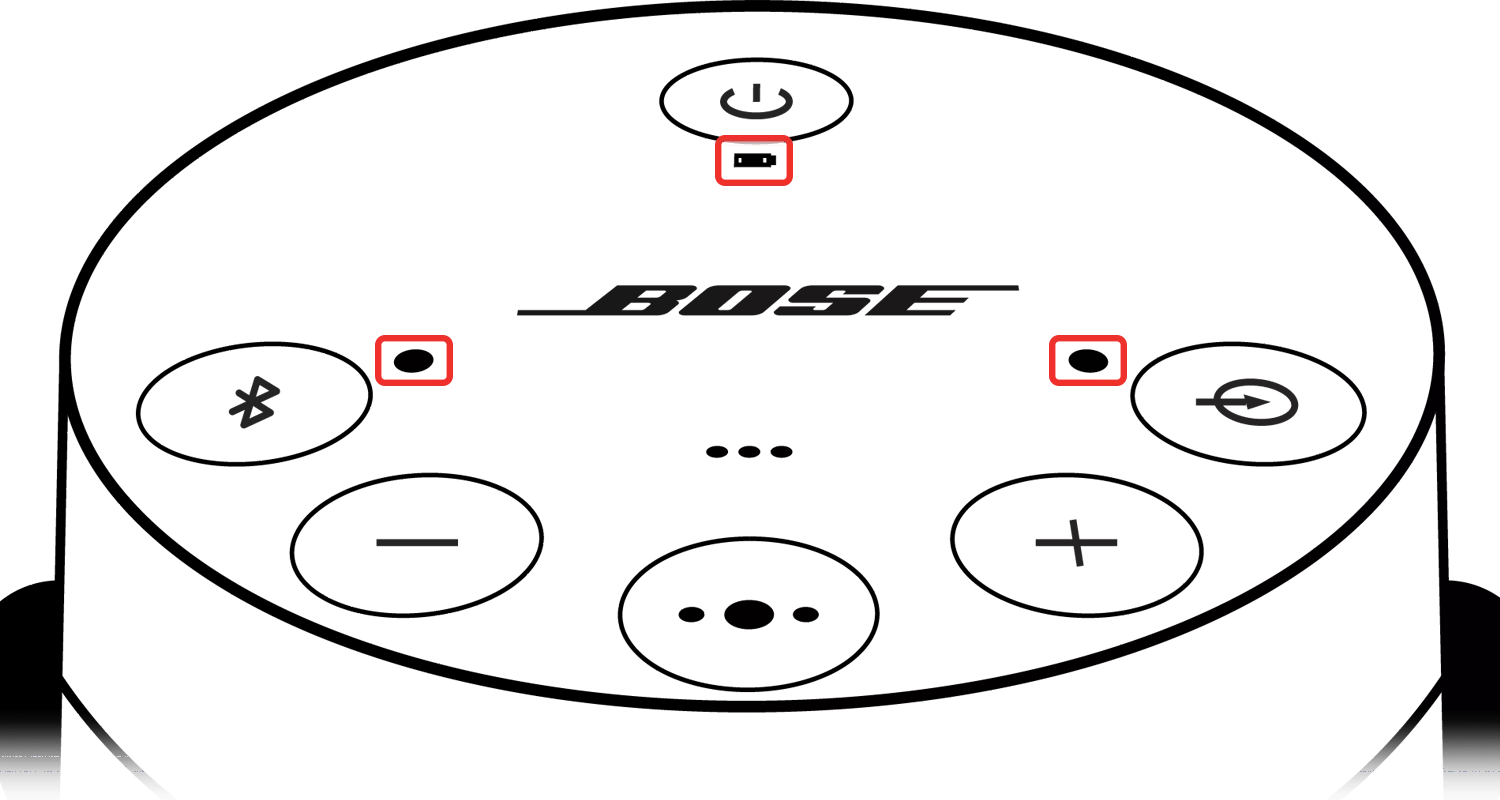
 Power LED (while charging)
|
|
Status |
Information |
|---|---|---|
|
|
Amber, flashing |
Battery is charging: |
|
|
Green |
Charge complete: |
|
|
Red, flashing fast |
Battery error |
Power LED (while checking battery level)|
|
Status |
Information |
|---|---|---|
|
|
Green |
Medium to full battery charge remaining |
|
|
Amber |
Low to medium battery charge remaining |
|
|
Red |
Low battery level / charge needed |
 Bluetooth® LED
|
|
Status |
Information |
|---|---|---|
|
|
Off |
Bluetooth source is not selected |
|
|
Blue |
System is in out-of-box language selection mode |
|
|
Blue, flashing |
System is discoverable to Bluetooth devices |
|
|
White, flashing fast |
Bluetooth source is connecting |
|
|
White |
Bluetooth source is connected |
 AUX Input LED
|
|
Status |
Information |
|---|---|---|
|
|
Off |
Auxiliary input not selected |
|
|
White |
Auxiliary input selected |
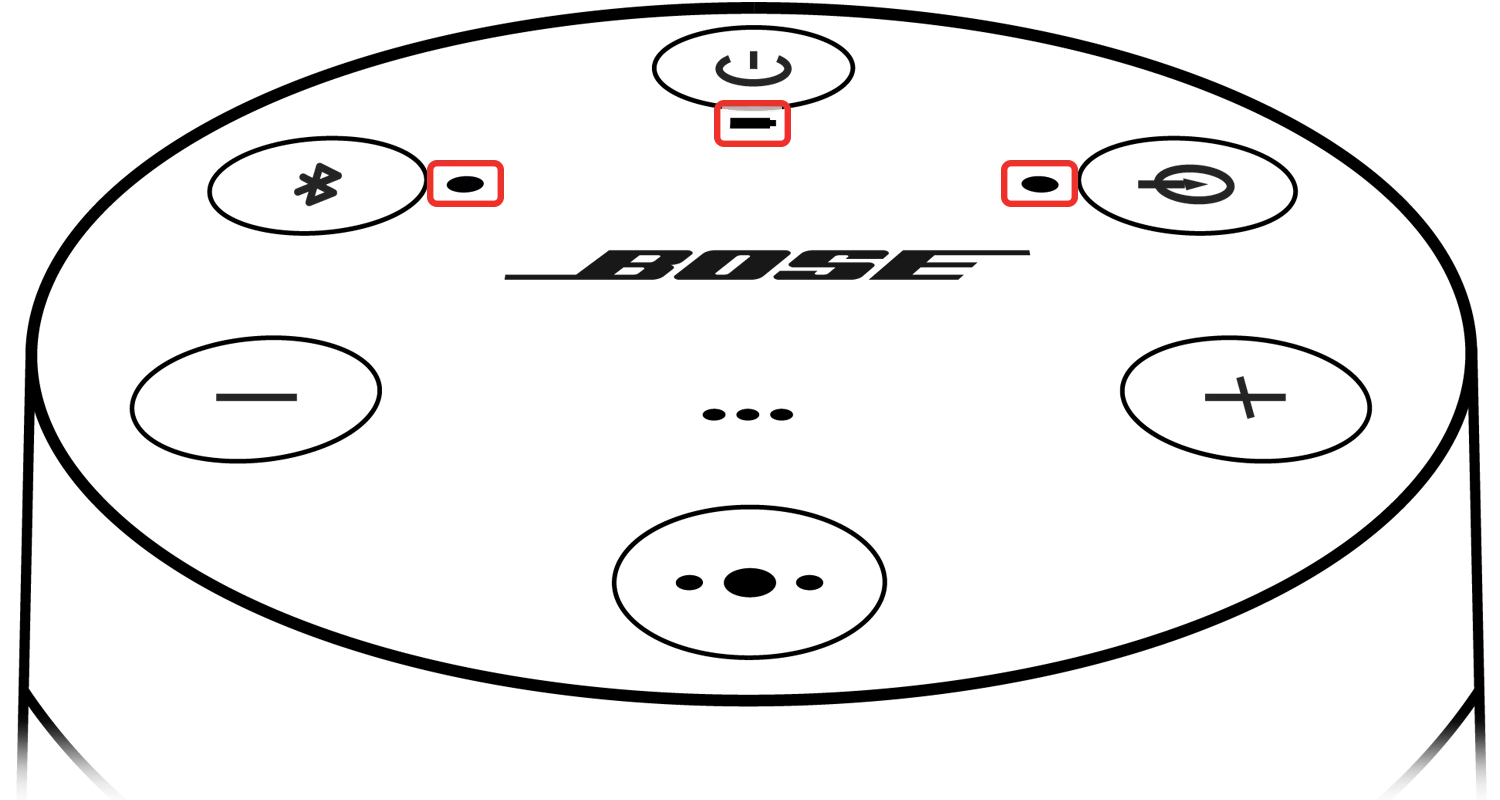
Power LED (while charging)|
|
Status |
Information |
|---|---|---|
|
|
Amber, flashing |
Battery is charging: |
|
|
Green |
Charge complete: |
|
|
Red, flashing fast |
Battery error |
Power LED (while checking battery level)|
|
Status |
Information |
|---|---|---|
|
|
Green |
Medium to full battery charge remaining |
|
|
Amber |
Low to medium battery charge remaining |
|
|
Red |
Low battery level / charge needed |
Bluetooth® LED|
|
Status |
Information |
|---|---|---|
|
|
Off |
Bluetooth source is not selected |
|
|
Blue |
System is in out-of-box language selection mode |
|
|
Blue, flashing |
System is discoverable to Bluetooth devices |
|
|
White, flashing fast |
Bluetooth source is connecting |
|
|
White |
Bluetooth source is connected |
AUX Input LED|
|
Status |
Information |
|---|---|---|
|
|
Off |
Auxiliary input not selected |
|
|
White |
Auxiliary input selected |
.png)


