Was this helpful?


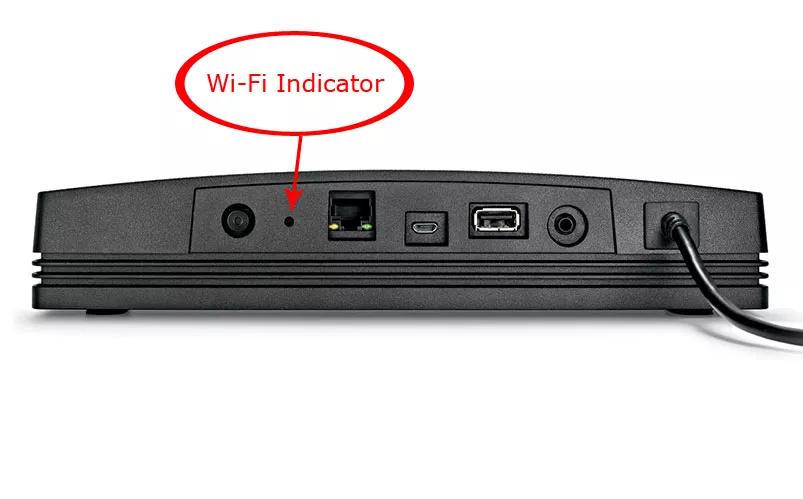

LED State: Off
Description: The adapter is unpowered, connected via Ethernet or the network is disabled

LED State: White (blinking fast)
Description: The adapter is attempting to connect to a Wi-Fi network

LED State: White (slow flash)
Description: The adapter is downloading a firmware update

LED State: White
Description: The adapter is connected to a Wi-Fi network

LED State: White (solid 3 sec, double-flash, repeat)
Description: The adapter is installing a firmware update

LED State: Amber (blinking)
Description: The adapter failed to connect to Wi-Fi / network error

LED State: Amber (blinking fast)
Description: The adapter has a firmware error

LED State: Amber (solid)
Description: The adapter is in setup mode broadcasting its "Bose SoundTouch Wi-Fi Network"

LED State: Flashing red
Description: Error communicating with bass module
LED State: Solid red
Description: Amplifier Fault

LED State: Solid Amber
Description: Connected to the console

LED State: Blinking Amber (every 3 seconds)
Description: Acoustimass module is disconnected from the console

LED State: Slow Blinking Amber
Description: Acoustimass module is available to make wireless connection to console

LED State: Fast Blinking Red
Description: Bass module error
LED State: Solid Red
Description: System error
.png)


