Loading
Réinitialiser votre produit | Lifestyle® 18 Series III DVD home entertainment system
lifestyle®-18-series-iii-dvd-home-entertainment-system
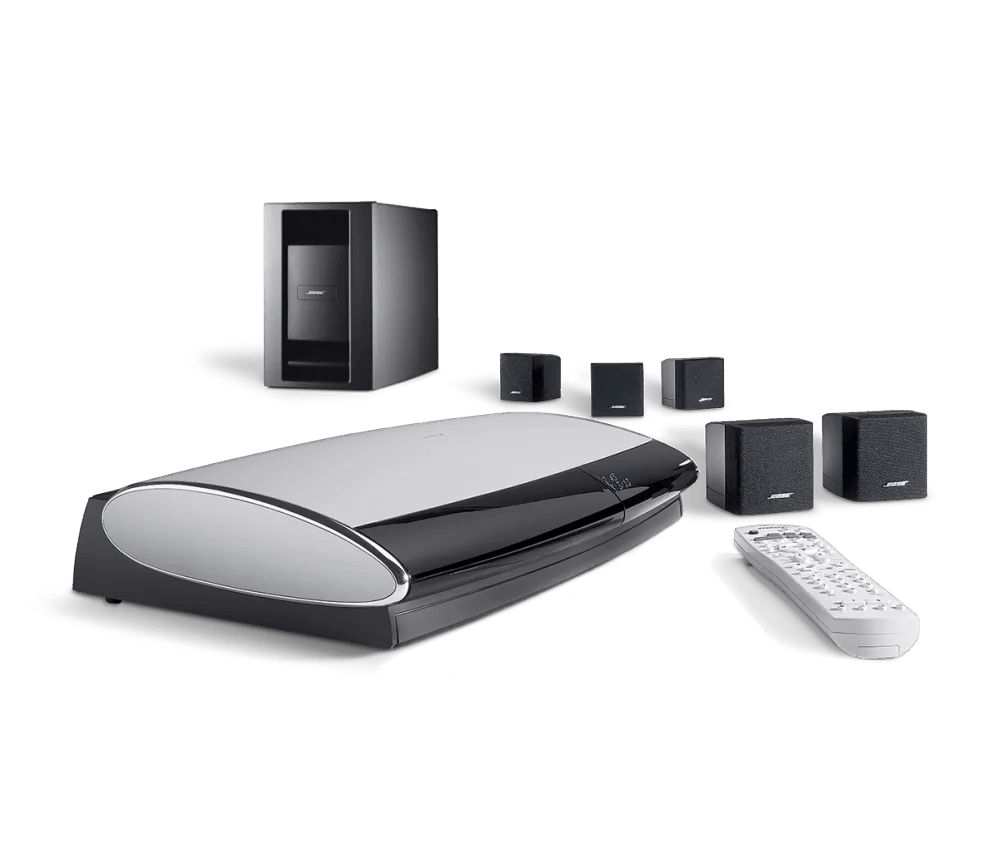
Système de cinéma maison avec DVD Lifestyle® 18 série IIIVendu entre 2006 - 2009

Réinitialiser votre produit | Lifestyle® 18 Series III DVD home entertainment system

Voulez-vous resetter votre produit ou restaurer ses paramètres par défaut ?

Réinitialiser

Reset your Lifestyle System by following these steps:

  1. Turn the system off. Wait 30 seconds
  2. Unplug the media center power cord from the power outlet
  3. Unplug the audio input cable from the media center
    Note: If a VS-1 or VS-2 video enhancer is connected, disconnect its power cord as well
  4. Unplug the Acoustimass module power cord from the power outlet
  5. Unplug the audio input cable from the Acoustimass module. Wait 30 seconds.
  6. Reconnect the audio input cable to the Acoustimass module
  7. Reconnect the audio input cable to the media center
  8. Reconnect the Acoustimass module power cord
  9. Reconnect the media center power cord
    Note: If a VS-1 or VS-2 video enhancer is connected, disconnect its power cord as well
  10. Wait for the words "Bose Lifestyle" to appear and disappear from the display before turning the system back on

Reset your media center by following these steps:

  1. Turn the media center off and wait 30 seconds
  2. Unplug the media center power cord from the power outlet
    Note: If a VS-1 or VS-2 video enhancer is connected, disconnect its power cord
  3. After 30 seconds, reconnect the power cord
  4. Wait for the words "Bose Lifestyle" to appear and disappear from the display
Restaurer les réglages d’usine

To restore the factory default settings:

  1. On the remote control, press the System button. (Tip: If the system menu does not appear on your TV, be sure the correct TV input is selected)
  2. Scroll right to select Media Center, then press the Enter button
  3. Scroll down to select Restore Settings, then press the Enter button
  4. Scroll up to select Yes, then press the Enter button: The display shows Have you been instructed to do this?
  5. Scroll left to select Yes, then press the Enter button
  6. Press the Exit button to exit the menu.

Pour réinitialiser les paramètres utilisateur, suivez ces étapes :

  1. Éteignez le système. Attendez que le message « Sauvegarde de vos informations musicales » disparaisse de l’affichage.
  2. Débranchez le cordon d’alimentation du centre média de la prise.
  3. Appuyez et maintenez les boutons « Ouvrir/Fermer » et « Mémoriser » sur le centre média.
  4. Tout en maintenant ces boutons, rebranchez le cordon d’alimentation dans la prise.
  5. Continuez de maintenir les boutons jusqu’à ce que « BOSE LIFESTYLE » disparaisse de l’affichage du centre média.
  6. Avec le système toujours éteint, appuyez et maintenez le bouton « Entrée ».
  7. Appuyez sur le bouton « Mémoriser » jusqu’à ce que « Flash Commit » apparaisse sur l’affichage du centre média.
  8. Relâchez le bouton « Entrée ».
  9. Appuyez sur la touche « Volume [+] ».
Le centre média va se réinitialiser de nouveau et l’affichage reviendra avec « BOSE LIFESTYLE ». Ce message devrait disparaître après environ 5 secondes et le centre média devrait fonctionner normalement.

Remarque : Si le format vidéo du téléviseur est réglé sur PAL, il peut revenir par défaut à NTSC. Il faudra le reconfigurer sur PAL après la réinitialisation. Pour plus d’informations, voir Modification du format vidéo du téléviseur

Cette information est-elle utile?

OUI
NON
COMMENCER LA RÉPARATION OU LE REMPLACEMENT
Chargement
Réinitialiser votre produit | Lifestyle® 18 Series III DVD home entertainment system