Was this helpful?
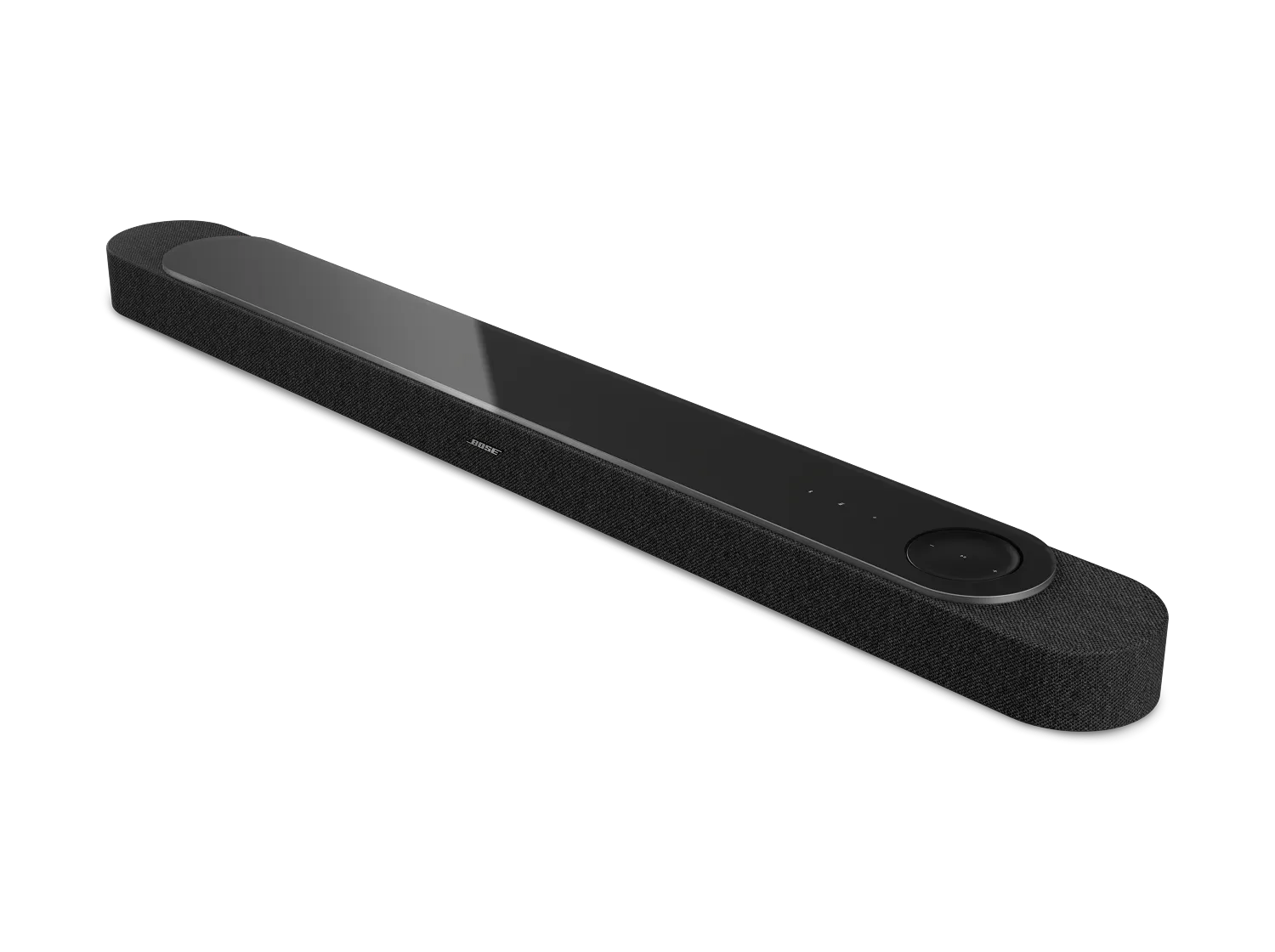
Updating Your Soundbar | Bose Lifestyle Ultra Soundbar
To update your soundbar:
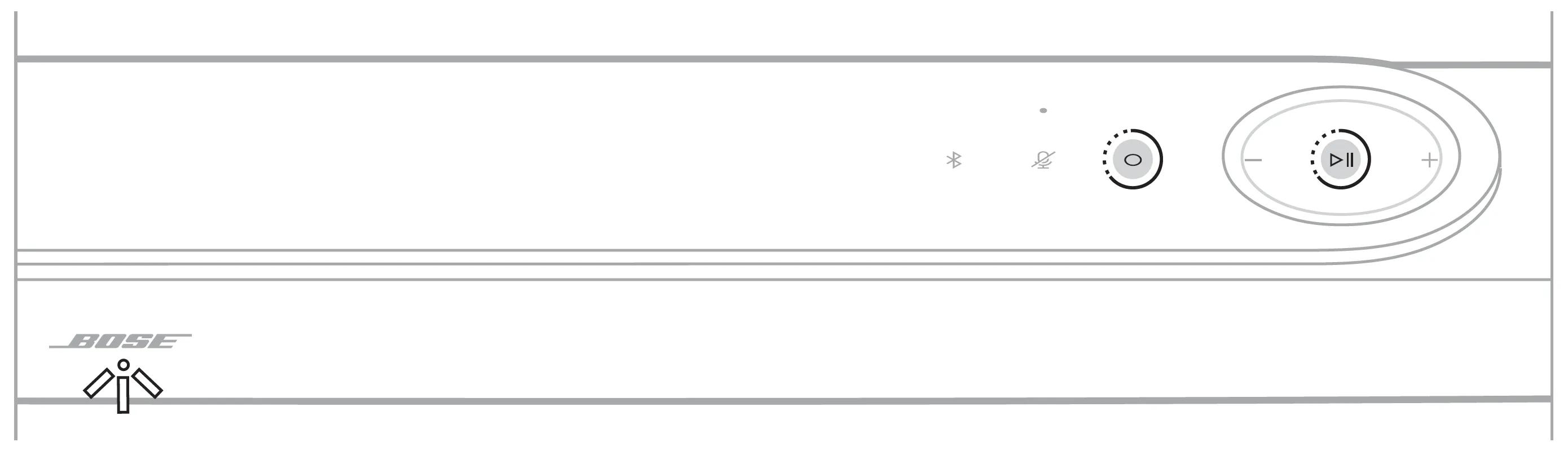
Touch and hold the Action button and Play/Pause button for five seconds until the status light blinks white two times.
Note: After you complete the setup process in the Bose app and connect the soundbar to your Wi-Fi network, the soundbar updates automatically and will check for updates overnight while not in use.
Frequently Asked Questions
What updates are available for my soundbar?
Lifestyle Ultra Soundbar Firmware Versions
| Release Date | Version | Release Notes |
|---|---|---|
| 15 May 2026 | Version 2.0.21 | Start of sale |
| Version 1.0.10 | Start of production |
To view the firmware version of the soundbar:
- In the Bose app
, tap the Settings icon
in the upper-right corner.
If a different product is shown, tap the products iconin upper-left corner. select the soundbar, then select the Settings icon.
- In the Settings menu, scroll down and select Technical Info.
Bose App Latest Releases
1 June 2026
iOS Version: 13.0.7
Release Notes:
- Addressed and fixed key issues to help improve your overall experience.
Compatible OS Versions:
iOS: 17 and up (This release no longer supports iOS 16 or earlier)
18 May 2026
iOS Version: 13.0.6
Android Version: 13.0.7
Release Notes:
- Added support for the new Lifestyle Collection Wi‑Fi home audio products. Connect and control your new system directly in the app.
- Faster, more seamless product setup. Improved onboarding makes it easier to get started.
Compatible OS Versions:
iOS: 17 and up (This release no longer supports iOS 16 or earlier)
Android: 13 and up (This release no longer supports Android 12 or earlier)
21 April 2026
iOS Version: 12.2.10
Android Version: 12.2.11
Release Notes: Addressed and fixed key issues to help improve your overall experience.
Compatible OS Versions:
iOS: 17 and up (This release no longer supports iOS 16 or earlier)
Android: 13 and up (This release no longer supports Android 12 or earlier)
3 February 2026
iOS Version: 12.1.7
Android Version: NA
Release Notes: Addressed and fixed key issues to help improve your overall experience.
Compatible OS Versions:
iOS: 17 and up (This release no longer supports iOS 16 or earlier)
Android: 13 and up (This release no longer supports Android 12 or earlier)
20 January 2026
iOS Version: 12.1.6
Android Version: 12.1.6
Release Notes: Addressed and fixed key issues to help improve your overall experience.
Compatible OS Versions:
iOS: 17 and up (This release no longer supports iOS 16 or earlier)
Android: 13 and up (This release no longer supports Android 12 or earlier)
10 December 2025
iOS Version: 12.0.50
Android Version: 12.0.50
Release Notes: Addressed and fixed key issues to help improve your overall experience.
Compatible OS Versions:
iOS: 17 and up (This release no longer supports iOS 16 or earlier)
Android: 13 and up (This release no longer supports Android 12 or earlier)
04 November 2025
iOS Version: 12.0.12
Android Version: 12.0.13
Release Notes: Addressed and fixed key issues to help improve your overall experience.
Compatible OS Versions:
iOS: 17 and up (This release no longer supports iOS 16 or earlier)
Android: 13 and up (This release no longer supports Android 12 or earlier)
Can I update my soundbar if it is not connected to the Internet?
To update your soundbar using the Direct IP method:
- Go to support.bose.com/lu-soundbar-fw to download the latest firmware update for your soundbar.
- When prompted, save the product_update.zip file. Do not rename, open, or unzip the file.
If a prompt to download the file does not appear, your browser may have downloaded the file automatically. Look for the file in a browser notification message or in the Downloads folder. - Reboot the soundbar by disconnecting its power cord for 30 seconds.
- While waiting, verify it was unplugged by tapping the Microphone Off icon on the top of the soundbar. No tone should be heard after tapping the icon.
- After reconnecting the power cord, the status light on the front of the soundbar pulses white as it reboots.
- Once rebooted, the status light turns off.
- Once the soundbar finishes rebooting, determine its IP address. For more info, see Determining the IP address.
Be sure to check the IP address of the soundbar after rebooting since your router might assign it a new address. - In a web browser, type the IP address followed by :17008/update.html into the address bar (e.g. 10.0.0.6:17008/update.html) then press Enter.
- Select Choose File then select the update file downloaded earlier
- Click UPLOAD. The update file will begin to transfer and install.
- "UPLOAD COMPLETE" will appear in the browser once the file has been transferred to your soundbar.
- While the speaker is updating, the status light on the front of the soundbar pulses.
- The update is complete when the status light turns off.