Cette information est-elle utile?
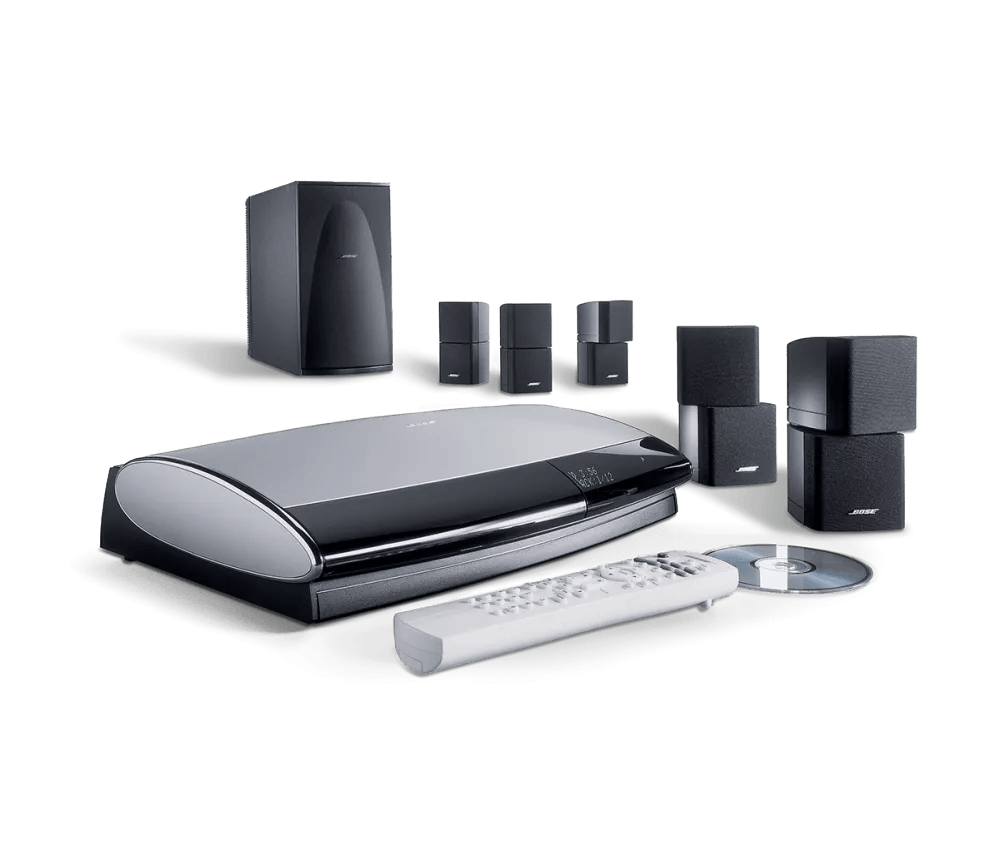
Lifestyle® 28 Series II system | Low audio through expansion product with AL8
Determine whether this Lifestyle system is set up as the expansion source or destination
Acoustic Wave Music System II
Determine if the issue occurs in the main room.
Using the main room remote, select the source that is having an issue playing through the expansion product. If the issue occurs in the main room, refer to Audio troubleshooting for the main room system.Verify the expansion product is working properly.
Try listening an FM radio station using the Acoustic Wave II FM tuner. If the issue still occurs, refer to Acoustic Wave II Troubleshooting.Raise the volume level using the expansion remote.
It is possible the volume in the expansion room is too low or in mute mode. Increase the volume gradually. Verify the volume is increasing by observing the display of the expansion product.Check the condition of the Bose link cable and the multi-pin connectors at either end.
With the system off, disconnect the connectors at both ends of the Bose link cable. Check to see if there are any bent or missing pins. There should be nine pins at both ends. Also check for any kinks or cuts in the cable. If the cable or connectors are broken in any way, replace the cable, otherwise firmly reconnect the cable at both ends to ensure a good connection.Perform an expansion product reset.
A reset is used to correct occasional product issues. It is not something that a product should require repeatedly. For info Resetting your product.Explain Service Options for the expansion product.
Determine the Warranty or Rapid Response status and see Service Options for the AWMSII.Il se peut que votre centre multimédia ait besoin d'être desservir.
Si les étapes fournies ne permettent pas de résoudre votre problème, il se peut que votre produit ait besoin d'un service d'entretien. Cliquez sur le lien ci-dessous pour en savoir plus sur la façon de réparer votre produit. Selon votre produit et votre région, vous recevrez un numéro de téléphone ou la possibilité de configurer le service en ligne.Cliquez ici pour commencer le service
Lifestyle SA-2 or SA-3 stereo amplifier
Determine if the issue occurs in the main room.
Using the main room remote, select the source that is having an issue playing through the expansion product. If the issue occurs in the main room, refer to Audio troubleshooting for the main room system.Déterminez si la taille de la pièce est trop grande ou si la distance du système est trop grande.
Le volume du système semble plus faible dans les pièces plus grandes que dans les pièces plus petites. Le niveau sonore diminue lorsque vous entendez des sons provenant de plus grandes distances. Essayez de placer votre système à moins de 20 pi (6 m) de la zone d'écoute.If the expansion product has its own volume control, try raising the volume level on it.
It is possible the volume on the expansion product is too low or in mute mode. Increase its volume gradually. If the expansion remote can change the volume of this setup, adjust the volume level on the expansion product to 80 percent of its maximum.Vérifiez l'état et les connexions de tous les câbles et adaptateurs.
Lorsque le système est hors tension, débranchez les connecteurs aux deux extrémités de tous les câbles et adaptateurs. Vérifiez s'il y a des connecteurs tordus ou brisés. Vérifiez également s'il y a des plis ou des coupures dans le câble. Si le câble ou les connecteurs sont brisés de quelque façon que ce soit, remplacez-le, sinon rebranchez fermement le câble aux deux extrémités pour assurer une bonne connexion.Si les haut-parleurs sont des composants distincts d'un produit d'extension, assurez-vous de vérifier l'état et les connexions des câbles du haut-parleur. Vérifiez que les connexions aux deux extrémités des câbles des haut-parleurs sont bien connectées aux prises appropriées. Vérifiez s'il y a des plis ou des coupures dans les fils. Remplacez les fils qui présentent des défauts visibles.
Perform an expansion product reset.
A reset is used to correct occasional product issues. It is not something that a product should require repeatedly. Turn the Lifestyle system off and, if possible, turn off the expansion product. Disconnect the power cord of the expansion product from the power outlet for 30 seconds. Reconnect the power cord and retest the setup.Explain Service Options for the expansion product.
If the expansion product is a Bose product, identify the product and refer to the its Service Options page, otherwise refer the customer to the speaker manufacturer for assistance.Il se peut que votre centre multimédia ait besoin d'être desservir.
Si les étapes fournies ne permettent pas de résoudre votre problème, il se peut que votre produit ait besoin d'un service d'entretien. Cliquez sur le lien ci-dessous pour en savoir plus sur la façon de réparer votre produit. Selon votre produit et votre région, vous recevrez un numéro de téléphone ou la possibilité de configurer le service en ligne.Cliquez ici pour commencer le service
Lifestyle Homewide powered speaker system
Determine if the issue occurs in the main room.
Using the main room remote, select the source that is having an issue playing through the expansion product. If the issue occurs in the main room, refer to Audio troubleshooting for the main room system.Déterminez si la taille de la pièce est trop grande ou si la distance du système est trop grande.
Le volume du système semble plus faible dans les pièces plus grandes que dans les pièces plus petites. Le niveau sonore diminue lorsque vous entendez des sons provenant de plus grandes distances. Essayez de placer votre système à moins de 20 pi (6 m) de la zone d'écoute.Raise the volume level using the expansion remote.
It is possible the volume in the expansion room is too low or in mute mode. Increase the volume gradually.Exécutez ADAPTQ pour maximiser le son du système.
Le logiciel de calibrage audio ADAPTQ, inclus avec le système, teste automatiquement l'acoustique de la zone d'écoute, analyse l'emplacement des haut-parleurs et adapte le son du système à l'acoustique spécifique de la pièce. Pour plus d'informations sur la façon d'exécuter ADAPTQ, reportez-vous à la section Configuration et désactivation du système ADAPTQ .Check the condition of the Bose link cables connected to the transmitter and receiver.
With the system off, disconnect the connectors at both ends of the two Bose link cables. Check to see if there are any bent or missing pins. There should be nine pins at each end. Also check for any kinks or cuts in the cables. If a cable or connector is broken in any way, replace the cable, otherwise firmly reconnect the cable at both ends to ensure a good connection.Assurez-vous que les haut-parleurs sont correctement connectés au module Acoustimass.
Il se peut qu'une connexion de câble de haut-parleur soit desserrée ou erronée. Assurez -vous que tous les connecteurs sont bien branchés sur le module Acoustimass et sur les haut-parleurs cubiques, y compris les adaptateurs de n'importe quelle sorte, afin d'éviter toute utilisation.Vérifiez l'état des câbles des haut-parleurs et assurez-vous qu'ils sont bien fixés aux deux extrémités.
Vérifiez si les câbles du haut-parleur sont endommagés, rayés ou coupés. Remplacez les fils endommagés par un dispositif de connexion solide aux deux extrémités.Perform an expansion product reset.
A reset is used to correct occasional product issues. It is not something that a product should require repeatedly. Reset the product by disconnecting its power cord for 30 seconds.Connect the expansion product without the AL8 wireless audio link in place.
Relocate the expansion product and connect the device without the transmitter and receiver in place. If the issue is resolved, determine the Warranty or Rapid Response statusand see Service Options for the AL8.Explain Service Options for the expansion product.
Determine the Warranty or Rapid Response status and see Service Options for the Lifestyle Homewide Powered Speaker.Il se peut que votre centre multimédia ait besoin d'être desservir.
Si les étapes fournies ne permettent pas de résoudre votre problème, il se peut que votre produit ait besoin d'un service d'entretien. Cliquez sur le lien ci-dessous pour en savoir plus sur la façon de réparer votre produit. Selon votre produit et votre région, vous recevrez un numéro de téléphone ou la possibilité de configurer le service en ligne.Cliquez ici pour commencer le service
Lifestyle RoomMate powered speaker system
Determine if the issue occurs in the main room.
Using the main room remote, select the source that is having an issue playing through the expansion product. If the issue occurs in the main room, refer to Audio troubleshooting for the main room system.Déterminez si la taille de la pièce est trop grande ou si la distance du système est trop grande.
Le volume du système semble plus faible dans les pièces plus grandes que dans les pièces plus petites. Le niveau sonore diminue lorsque vous entendez des sons provenant de plus grandes distances. Essayez de placer votre système à moins de 20 pi (6 m) de la zone d'écoute.Raise the volume level using the expansion remote.
It is possible the volume in the expansion room is too low or in mute mode. Increase the volume gradually.Check the condition of the Bose link cable and the multi-pin connectors at either end.
With the system off, disconnect the connectors at both ends of the Bose link cable. Check to see if there are any bent or missing pins. There should be nine pins at both ends. Also check for any kinks or cuts in the cable. If the cable or connectors are broken in any way, replace the cable, otherwise firmly reconnect the cable at both ends to ensure a good connection.Perform an expansion product reset.
A reset is used to correct occasional product issues. It is not something that a product should require repeatedly. For more info, see Resetting your product.Explain Service Options for the expansion product.
Determine the Warranty or Rapid Response status and see Service Options for the Lifestyle RoomMate.Il se peut que votre centre multimédia ait besoin d'être desservir.
Si les étapes fournies ne permettent pas de résoudre votre problème, il se peut que votre produit ait besoin d'un service d'entretien. Cliquez sur le lien ci-dessous pour en savoir plus sur la façon de réparer votre produit. Selon votre produit et votre région, vous recevrez un numéro de téléphone ou la possibilité de configurer le service en ligne.Cliquez ici pour commencer le service
Lifestyle T10, T20, V25, or V35 home entertainment system
Determine if the issue occurs in the main room.
Using the main room remote, select the source that is having an issue playing through the expansion product. If the issue occurs in the main room, refer to Audio troubleshooting for the main room system.Verify the expansion product is working properly.
Try listening to a source connected to the expansion product. If the issue still occurs, refer to troubleshooting for the connected expanion product.Raise the volume level using the expansion remote.
It is possible the volume in the expansion room is too low or in mute mode. Increase the volume gradually.Check the condition of the Bose link cable and the multi-pin connectors at either end.
With the system off, disconnect the connectors at both ends of the Bose link cable. Check to see if there are any bent or missing pins. There should be nine pins at both ends. Also check for any kinks or cuts in the cable. If the cable or connectors are broken in any way, replace the cable, otherwise firmly reconnect the cable at both ends to ensure a good connection.Perform an expansion product reset.
A reset is used to correct occasional product issues. It is not something that a product should require repeatedly. For information on performing a reset, refer to the reset procedure for the connected expansion product.Explain Service Options for the expansion product.
Determine the Warranty or Rapid Response status and see Service Options for the expansion product.Il se peut que votre centre multimédia ait besoin d'être desservir.
Si les étapes fournies ne permettent pas de résoudre votre problème, il se peut que votre produit ait besoin d'un service d'entretien. Cliquez sur le lien ci-dessous pour en savoir plus sur la façon de réparer votre produit. Selon votre produit et votre région, vous recevrez un numéro de téléphone ou la possibilité de configurer le service en ligne.Cliquez ici pour commencer le service
Wave Music System, Wave Music System III, Wave Radio II, or Wave Radio III
Determine if the issue occurs in the main room.
Using the main room remote, select the source that is having an issue playing through the expansion product. If the issue occurs in the main room, refer to Audio troubleshooting for the main room system.Verify the expansion product is working properly.
Try listening an FM radio station using the to expansion product's FM tuner. If the issue still occurs, refer to troubleshooting for the connected expansion product.Raise the volume level using the expansion remote.
It is possible the volume in the expansion room is too low or in mute mode. Increase the volume gradually. Verify the volume is increasing by observing the display of the expansion product.Check the condition of the Bose link cable and the multi-pin connectors at either end.
With the system off, disconnect the connectors at both ends of the Bose link cable. Check to see if there are any bent or missing pins. There should be nine pins at both ends. Also check for any kinks or cuts in the cable. If the cable or connectors are broken in any way, replace the cable, otherwise firmly reconnect the cable at both ends to ensure a good connection.Perform an expansion product reset.
A reset is used to correct occasional product issues. It is not something that a product should require repeatedly. For more info, see Resetting your product.Explain Service Options for the expansion product.
Determine the Warranty or Rapid Response status and see Service Options for the Wave system.Il se peut que votre centre multimédia ait besoin d'être desservir.
Si les étapes fournies ne permettent pas de résoudre votre problème, il se peut que votre produit ait besoin d'un service d'entretien. Cliquez sur le lien ci-dessous pour en savoir plus sur la façon de réparer votre produit. Selon votre produit et votre région, vous recevrez un numéro de téléphone ou la possibilité de configurer le service en ligne.Cliquez ici pour commencer le service
3·2·1 series II or III home entertainment system (including GS and GSX variants)
Determine if the issue occurs in the main room.
Using the main room remote, select the source that is having an issue playing through the expansion product. If the issue occurs in the main room, refer to Audio troubleshooting for the main room system.Verify the expansion product is working properly.
Try listening an FM radio station using the to expansion product's FM tuner. If the issue still occurs, refer to troubleshooting for the connected expanion product.Raise the volume level using the expansion remote.
It is possible the volume in the expansion room is too low or in mute mode. Increase the volume gradually. Verify the volume is increasing by observing the display of the expansion product.Check the condition of the Bose link cable and the multi-pin connectors at either end.
With the system off, disconnect the connectors at both ends of the Bose link cable. Check to see if there are any bent or missing pins. There should be nine pins at both ends. Also check for any kinks or cuts in the cable. If the cable or connectors are broken in any way, replace the cable, otherwise firmly reconnect the cable at both ends to ensure a good connection.Explain Service Options for the expansion product.
Determine the Warranty or Rapid Response status and see Service Options for the 3·2·1 system.Il se peut que votre centre multimédia ait besoin d'être desservir.
Si les étapes fournies ne permettent pas de résoudre votre problème, il se peut que votre produit ait besoin d'un service d'entretien. Cliquez sur le lien ci-dessous pour en savoir plus sur la façon de réparer votre produit. Selon votre produit et votre région, vous recevrez un numéro de téléphone ou la possibilité de configurer le service en ligne.Cliquez ici pour commencer le service
Other / Non-Bose Link product
Determine if the issue occurs in the main room.
Using the main room remote, select the source that is having an issue playing through the expansion product. If the issue occurs in the main room, refer to Audio troubleshooting for the main room system.Déterminez si la taille de la pièce est trop grande ou si la distance du système est trop grande.
Le volume du système semble plus faible dans les pièces plus grandes que dans les pièces plus petites. Le niveau sonore diminue lorsque vous entendez des sons provenant de plus grandes distances. Essayez de placer votre système à moins de 20 pi (6 m) de la zone d'écoute.If the expansion product has its own volume control, try raising the volume level on it.
It is possible the volume on the expansion product is too low or in mute mode. Increase its volume gradually. If the expansion remote can change the volume of this setup, adjust the volume level on the expansion product to 80 percent of its maximum.Vérifiez l'état et les connexions de tous les câbles et adaptateurs.
Lorsque le système est hors tension, débranchez les connecteurs aux deux extrémités de tous les câbles et adaptateurs. Vérifiez s'il y a des connecteurs tordus ou brisés. Vérifiez également s'il y a des plis ou des coupures dans le câble. Si le câble ou les connecteurs sont brisés de quelque façon que ce soit, remplacez-le, sinon rebranchez fermement le câble aux deux extrémités pour assurer une bonne connexion.Si les haut-parleurs sont des composants distincts d'un produit d'extension, assurez-vous de vérifier l'état et les connexions des câbles du haut-parleur. Vérifiez que les connexions aux deux extrémités des câbles des haut-parleurs sont bien connectées aux prises appropriées. Vérifiez s'il y a des plis ou des coupures dans les fils. Remplacez les fils qui présentent des défauts visibles.
Perform an expansion product reset.
A reset is used to correct occasional product issues. It is not something that a product should require repeatedly. Turn the Lifestyle system off and, if possible, turn off the expansion product. Disconnect the power cord of the expansion product from the power outlet for 30 seconds. Reconnect the power cord and retest the setup.Explain Service Options for the expansion product.
If the expansion product is a Bose product, identify the product and refer to the its Service Options page, otherwise refer the customer to the speaker manufacturer for assistance.Il se peut que votre centre multimédia ait besoin d'être desservir.
Si les étapes fournies ne permettent pas de résoudre votre problème, il se peut que votre produit ait besoin d'un service d'entretien. Cliquez sur le lien ci-dessous pour en savoir plus sur la façon de réparer votre produit. Selon votre produit et votre région, vous recevrez un numéro de téléphone ou la possibilité de configurer le service en ligne.Cliquez ici pour commencer le service