Was this helpful?


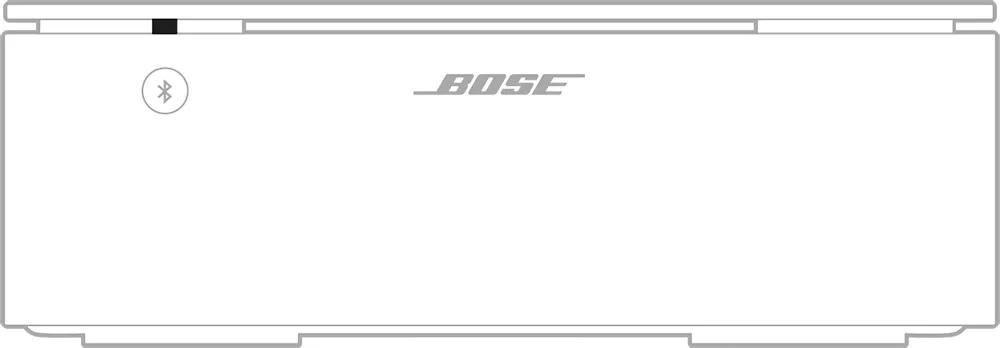
| LED State | Indicates |
|---|---|
| Slowly blinking blue | Ready to connect to Bluetooth device |
| Blinking blue | Connecting to Bluetooth device |
| Blue light fades bright then dims once | Connected to Bluetooth device |
| Blinks blue 3 times | Bluetooth device list memory cleared |
| Blinks blue and red for 3 seconds | Amplifier is in Supplement mode. Bluetooth connection is disabled |
| Solid red | Critical hardware error. Amplifier requires service Note: The lights on the front and the back of the amplifier glow solid red simultaneously. |
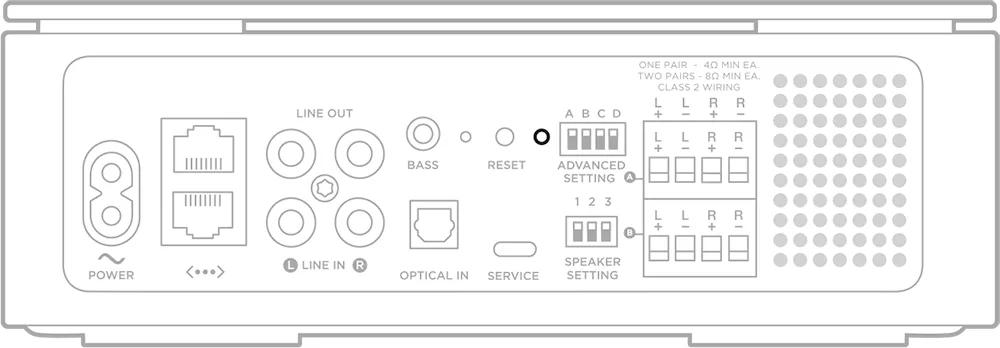
| LED State | Indicates |
|---|---|
| Slowly blinking white | Powering on. Connecting to Wi-Fi |
| Solid white | On. Connected to Wi-Fi |
| Slowly blinking amber | Ready tor Wi-Fi setup |
| Solid amber after blinking | Wi-Fi setup in progress |
| Slowly blinking green | Amplifier is powering on in supplemental mode |
| Solid green | Amplifier is on in supplemental mode |
| Blinking white | Installing update |
| Solid white after blinking | Update complete |
| Blinks red 3 times | Reset complete |
| Solid amber | Wi-Fi connection error |
| Blinks amber 4 times | Network connection error or source error |
| Solid red | Critical hardware error. Amplifier requires service Note: The lights on the front and the back of the amplifier glow solid red simultaneously. |
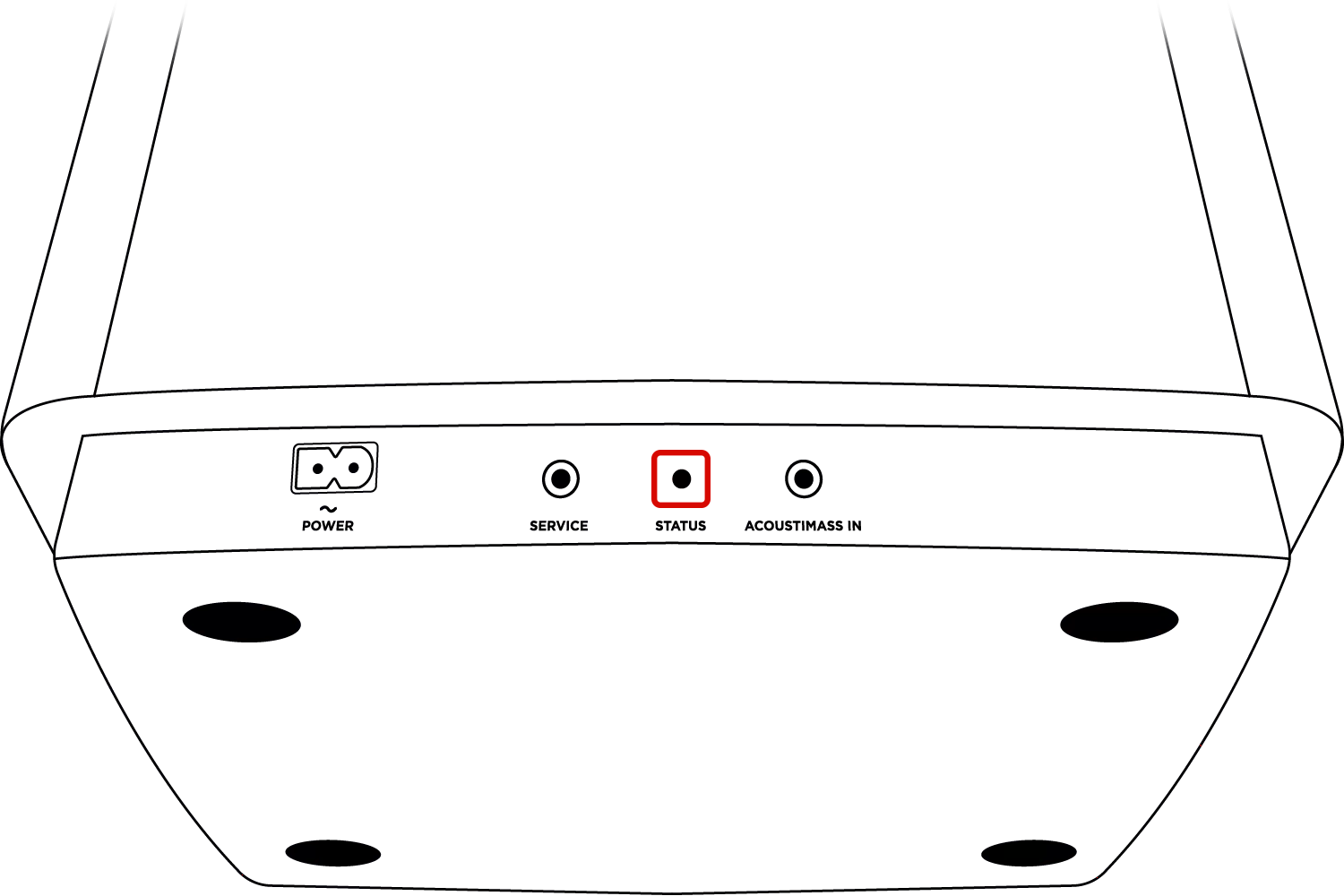

Power-saving mode

Ready to pair

Disconnected from the soundbar or control console

Connected to soundbar or control console

Downloading system update
Unknown error. Bass module requires service
.png)


