Was this helpful?


To get the latest update, make sure your earbuds are connected to your phone or tablet through the Bose QCE app

The update might take up to 45 minutes, but it usually finishes much faster.
You can keep using your earbuds during the update. If you stop using them, the update will pause and pick up where it left off the next time you use them.
Earbuds version: 1.3.2
Release notes:
Includes improvements for overall reliability and general bug fixes
Fixes an issue where the buds may turn off while wearing after no movement for an extended period.
Earbuds version: 1.2.1
Release notes:
Earbuds version: 1.2.0
Release notes:
Earbuds version: 1.1.2
Release notes:
Earbuds version: 1.1.0
Release notes:
Earbuds version: 1.0.2
Release notes:
iOS Version: 3.0.3
Android Version: 3.0.3 (China Android stores remain on previous version)
Release Notes: New AI voice control experience to manage your earbuds and access product tips.
Bug fixes and improvements.
Compatibility: Android 10 and up; iOS 15 and up
iOS Version: N/A
Android Version: 3.0.2 (China Android stores remain on previous version)
Release Notes: Bug fixes and improvements
Compatibility: Android 10 and up; iOS 15 and up
iOS Version: 3.0.1
Android Version: 3.0.1 (China Android stores remain on previous version)
Release Notes: Introduced expanded shortcut options to customize button actions for listening, calls, and widgets. Apple Music subscribers can start playlists instantly with earbud shortcut buttons.
Compatibility: Android 10 and up; iOS 15 and up
iOS Version: 2.1.0
Android Version: 1.1.2
Release Notes: Addressed and fixed key issues to help improve your overall experience
Compatibility: Android 10 and up; iOS 15 and up
iOS Version: 2.0.9
Android Version: N/A
Release Notes: Addressed and fixed key issues to help improve your overall experience
Compatibility: Android 10 and up; iOS 15 and up
iOS Version: 2.0.3 (Released on December 11, 2024)
Android Version: 1.1.1
Release Notes: General bug fixes and performance improvements
Compatibility: Android 10 and up; iOS 15 and up
iOS Version: 2.0.3 (Released on December 11, 2024)
Android Version: 1.1.0; 1.1.3 (China Android Stores)
Release Notes: Addressed and fixed key issues to help improve your overall experience
Compatibility: Android 10 and up; iOS 15 and up
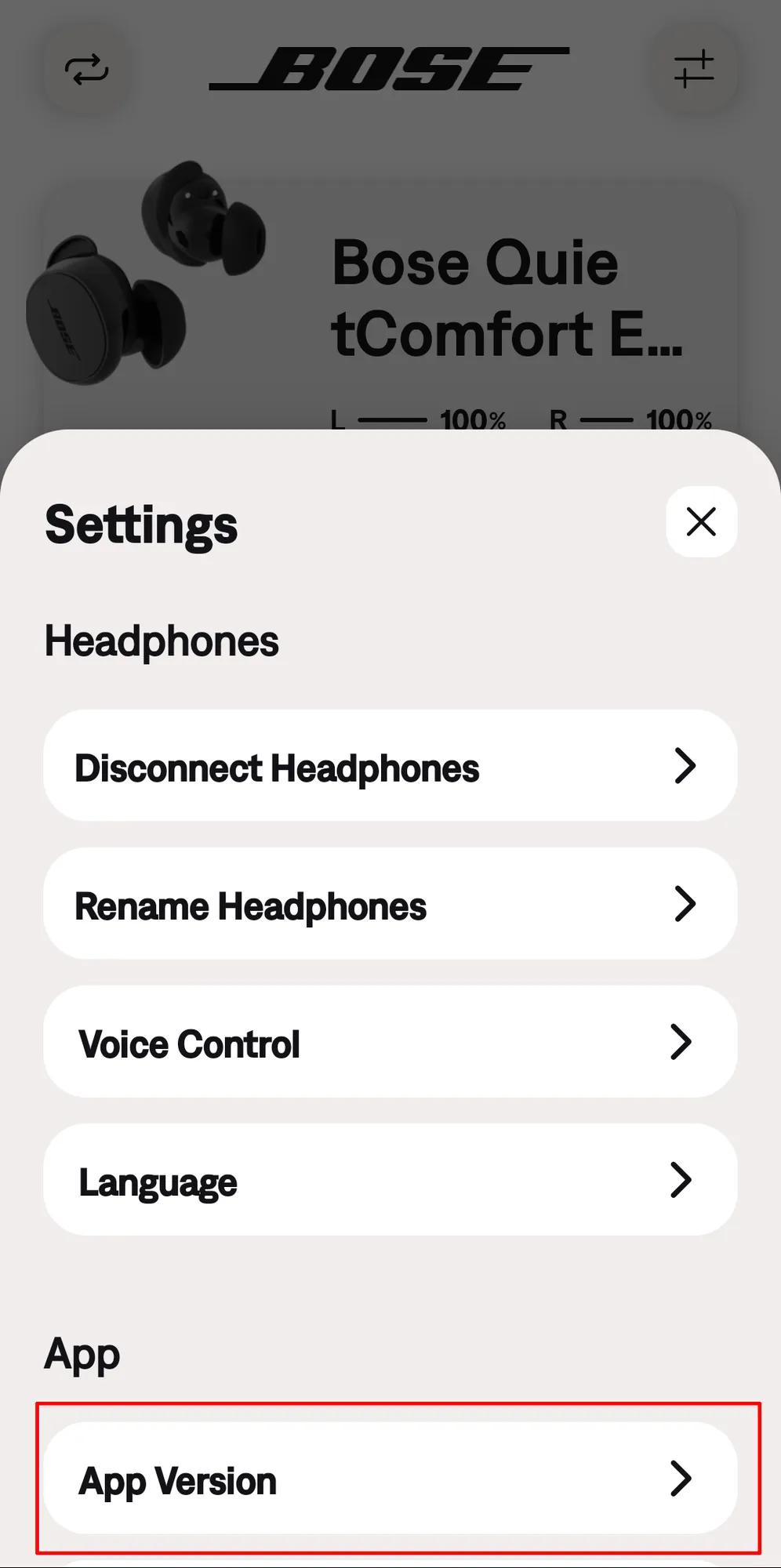
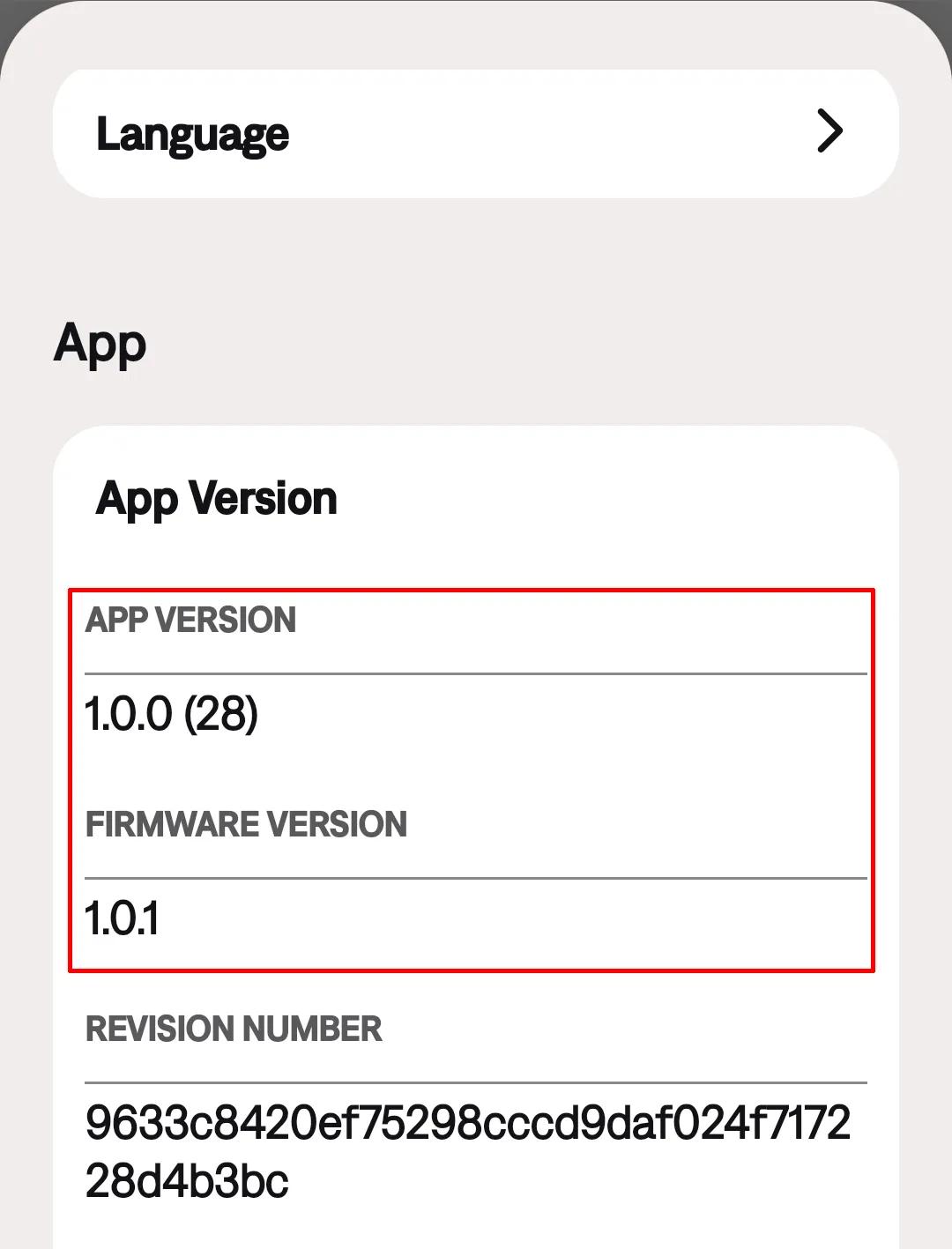
In the Bose QCE App Settings menu 
While other Bose earbud cases receive firmware updates, the QuietComfort Earbuds Case does not offer this capability.
We recommend keeping your earbuds updated with the latest firmware to ensure optimal performance and access to the newest features. Firmware updates can resolve minor bugs, improve device compatibility, and provide a more consistent listening experience.
If you're experiencing issues with your QuietComfort Earbuds, click here to review our troubleshooting guide.
If you've already tried all troubleshooting steps and the issue persists, click here for the quickest way to request service for your earbuds.
.png)


