Was this helpful?


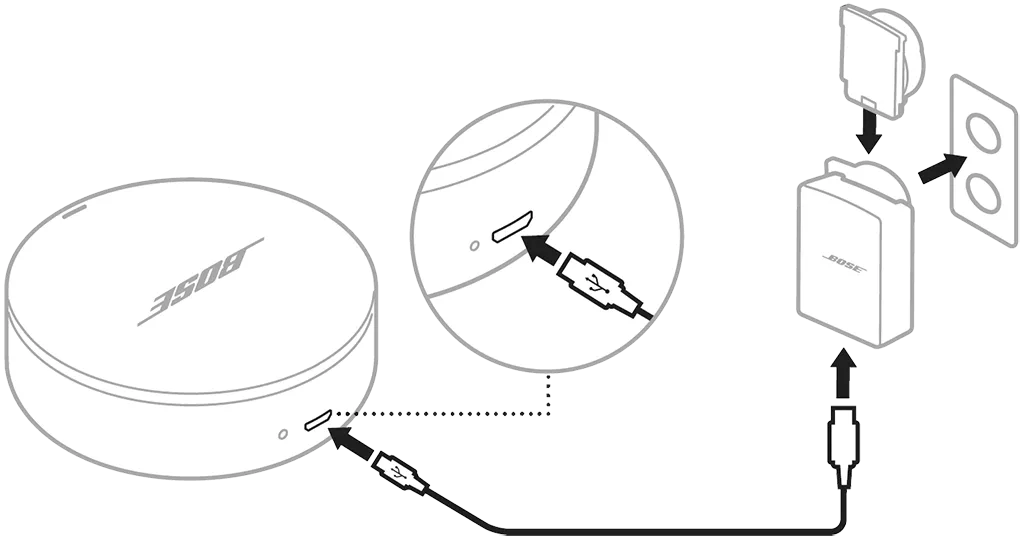
Step 1: Connect a USB cable from the back of the case to a USB charger
Step 2: Allow up to three hours to fully charge the case
Battery calibration: Before using your Sleepbuds for a full night’s sleep, let them fully charge to calibrate battery levels. Once charged, the long light bars on the left and right of the case glow solid when opened.
Battery life: A full charge provides up to 10 hours of use.
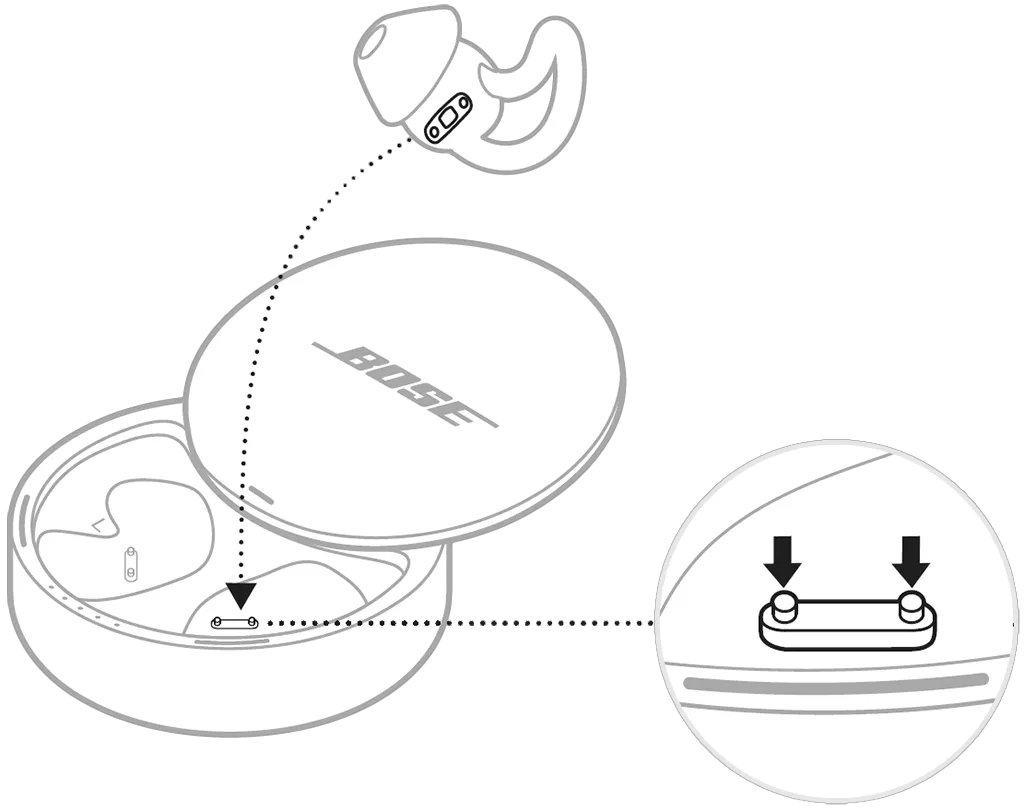
How to charge: Align the charging contacts on the Sleepbuds with the charging pins in the case so they magnetically snap into place.
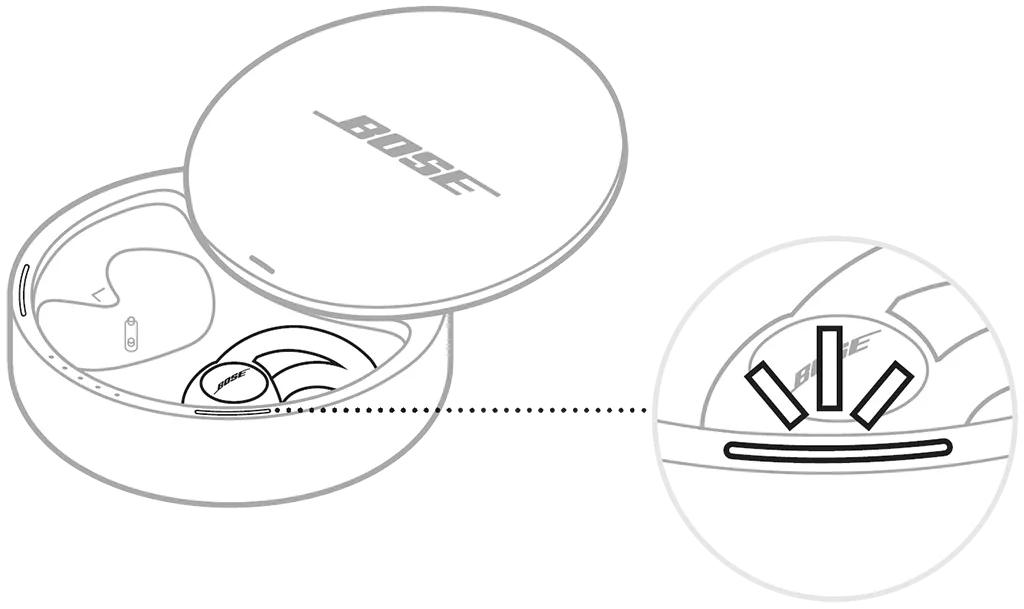
Charging lights: The long outer charging lights blink white while charging and glow solid when fully charged. You can close the case while charging.
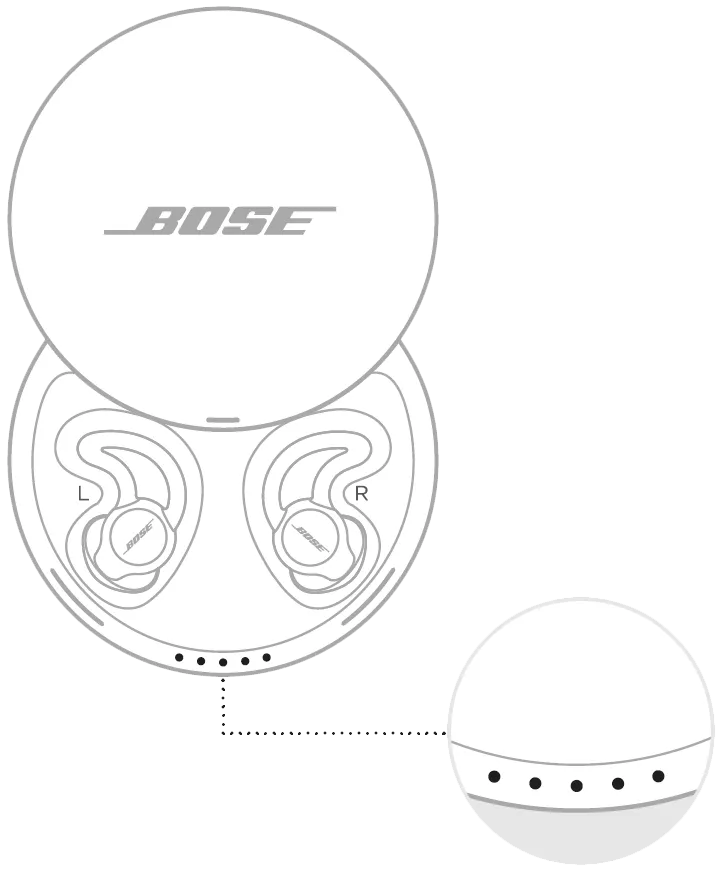
• ○ ○ ○ ○: 0–20%
• • ○ ○ ○: 20–40%
• • • ○ ○: 40–60%
• • • • ○: 60–80%
• • • • •: 80–100%
While charging: The last lit battery light blinks white.
Fully charged: All battery lights glow solid white.
Note: If the case isn’t connected to power, the lights turn off after 30 seconds of inactivity.
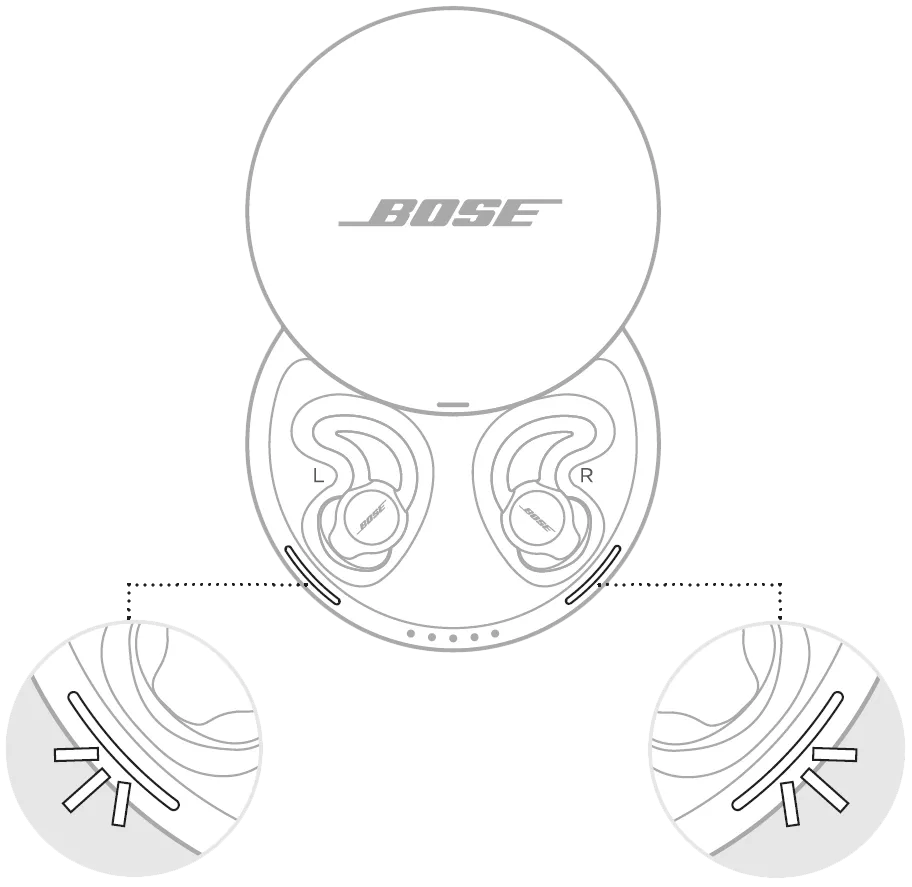
Slowly pulsing white: Charging
Solid white: Fully charged
Battery Protection mode: If Sleepbuds remain in a charging case with a depleted battery for a week, they enter Battery Protection mode.
To wake Sleepbuds:
1. Connect the case to power
2. Place the Sleepbuds in the case
3. Wait for the charging lights to slowly blink white, then close the case
4. Open the case, wait for the lights to blink white again, then remove the Sleepbuds
.png)


