
Loading
Setting up your product | Bose SoundLink Flex Portable Speaker (2nd Gen)
bose-soundlink-flex-portable-speaker-(2nd-gen)
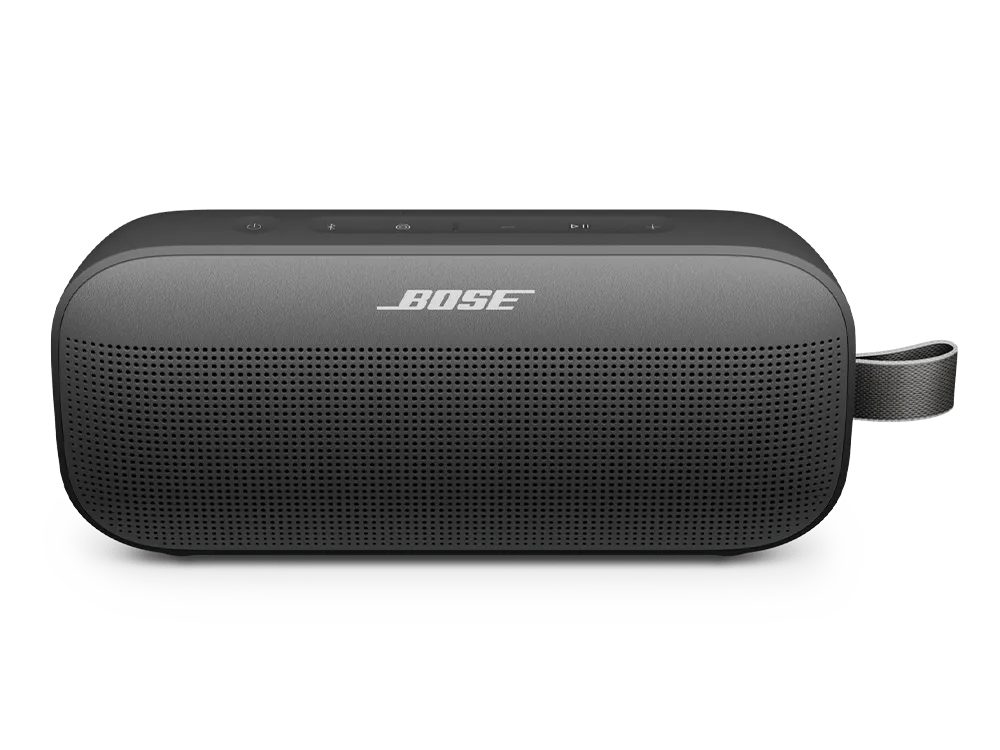
Bose SoundLink Flex Portable Speaker (2nd Gen)Sold from 2024

Setting up your product | Bose SoundLink Flex Portable Speaker (2nd Gen)

Before you begin

  1. Download the Bose app icon from your smartphone or tablet's app store
  2. Connect one end of the USB-C cable to the speaker's USB-C port.
  3. Connect the other end of the cable to a USB-C power supply or computer.
  4. Press the Power icon button. The Power light will blink white, and you'll hear "Ready to connect." The Bluetooth icon light will blink blue.

  5. On your mobile device, turn on Bluetooth®.
  6. Open the Bose app to sign in or create an account. For help, see Signing in and out of a Bose account or Creating a Bose account.
  7. Allow any prompts for Location Services, Local Access Network, or Bluetooth permissions. These are needed for the app to find and control your speaker.

The Setup

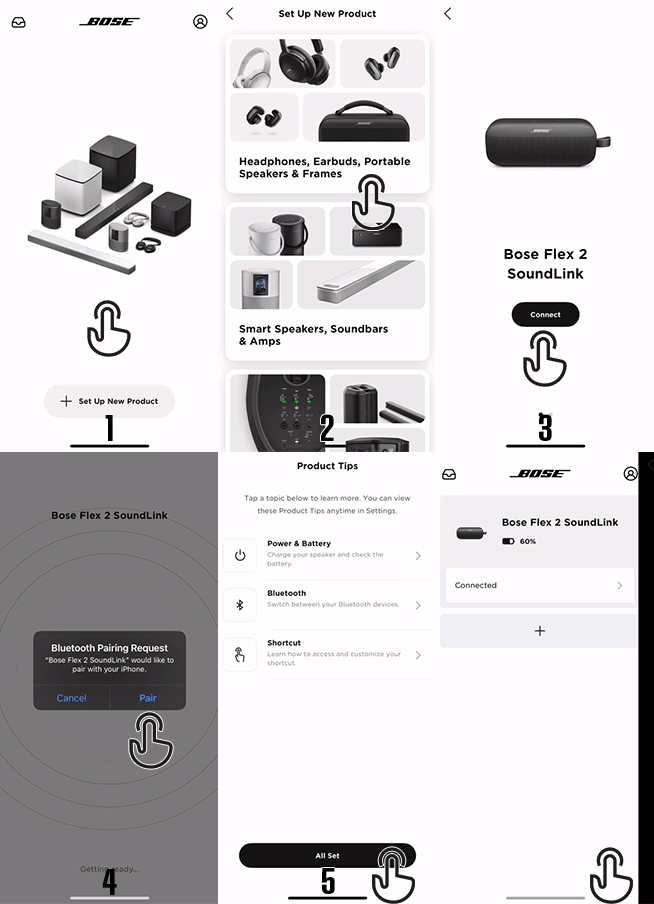
Note: The image may show a different product, but the process is the same.


  1. In the app, tap "+ Setup new product."
  2. Select "Headphones, Earbuds, Portable Speakers & Frames."
  3. The app will begin searching for your speaker. Once it locates the speaker, tap 'Connect.
  4. When prompted, press "Pair" to start Bluetooth pairing.
  5. Once the speaker is paired, tap 'All Set' on the following screen.
  6. Setup is complete. Tap "Get Started" to begin using your speaker.

Related Articles

For more information on how to set up your product features, click on the links below:
FeatureDescription
Connecting a Bluetooth® deviceEasily pair your speaker with Bluetooth devices for wireless audio playback.
Using the Shortcut ButtonEnable linking multiple speakers, accessing Spotify playlists, or activating voice assistants with the customizable Shortcut button.
Linking Multiple SpeakersConnect multiple Shortcut-enabled speakers for party or stereo modes.
Snapdragon Sound technologyExperience high-resolution Bluetooth audio with Snapdragon Sound for crystal-clear music playback and low-latency calls.
Updating the software or firmware of your productEnsure your speaker is running the latest firmware for improved performance and access to new features.
Software and firmware versionsCheck the current software and firmware versions on your device to confirm you have the latest updates.
Loading
Setting up your product | Bose SoundLink Flex Portable Speaker (2nd Gen)