Was this helpful?
Connecting a Bluetooth device | Bose SoundLink Plus Portable Speaker
Use the product controls to automatically connect to a device you've paired before.
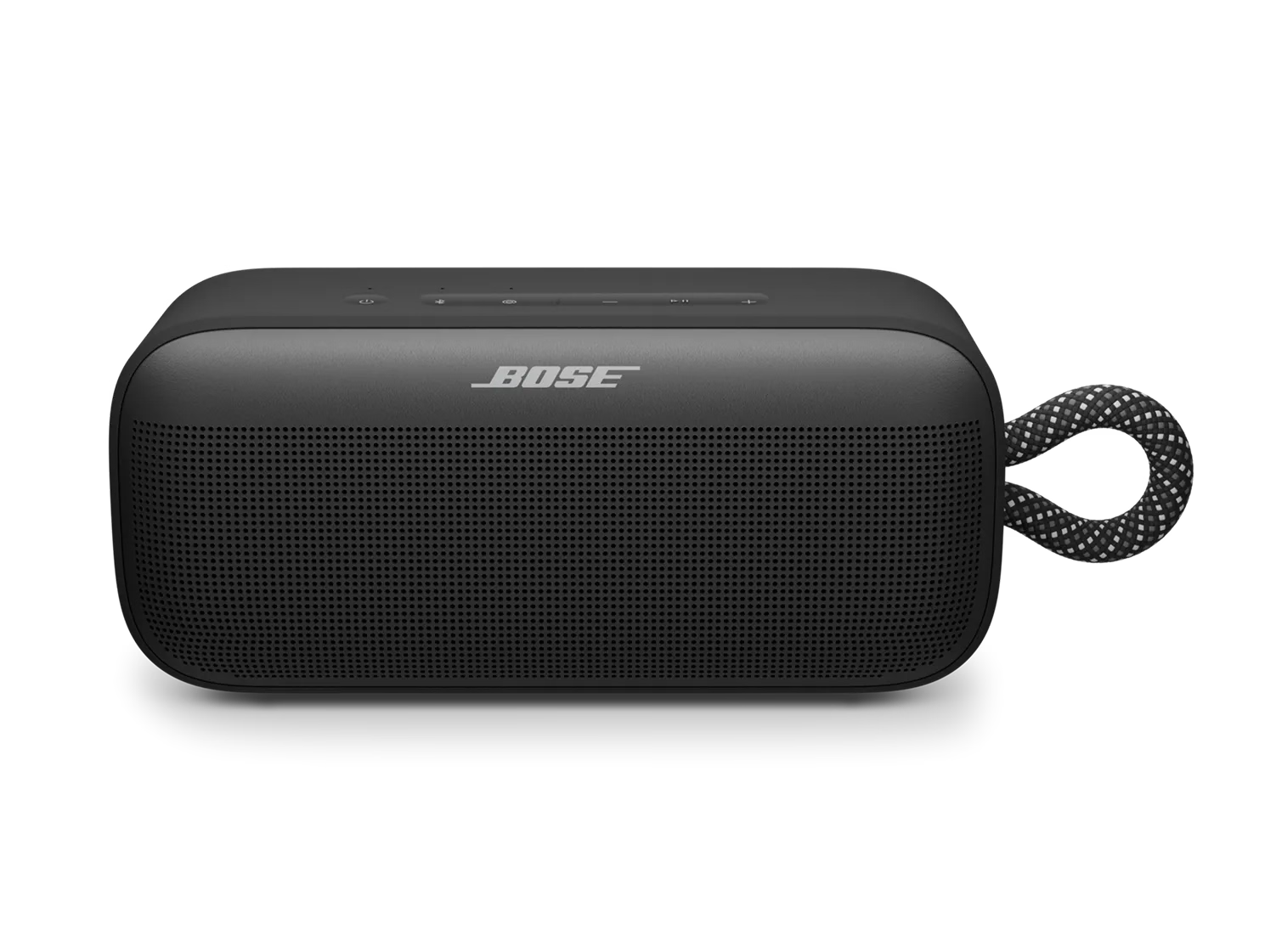
Note: The image may show a different speaker, but the process is the same.

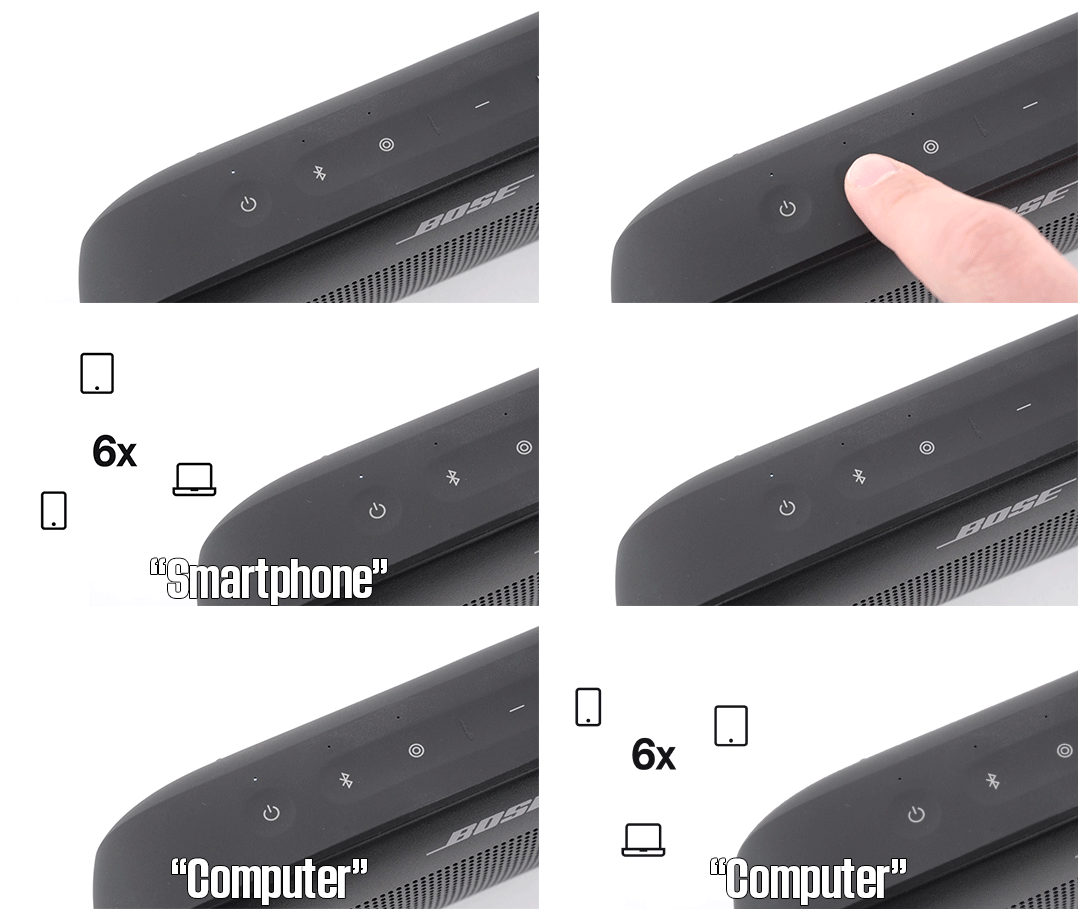
button once to cycle through the stored connections.
Alternatively, you can connect via your device’s native Bluetooth settings once the speaker is powered on. For detailed instructions, select a device from the options below:

Your speaker can store up to six paired devices. To connect, simply power on the speaker and press the Bluetooth
Alternatively, you can connect via your device’s native Bluetooth settings once the speaker is powered on. For detailed instructions, select a device from the options below:
Which device would you like to connect to?
Smartphone or tablet
Connect your speaker to a previously paired smartphone
Note: The image may show a different speaker, but the process is the same.

If this is your first time pairing the speaker to a device, scroll down and select 'No' from the options further down the page.

- Press the power
button to turn on your Bose speaker.
- Open Bluetooth Settings on your smartphone:
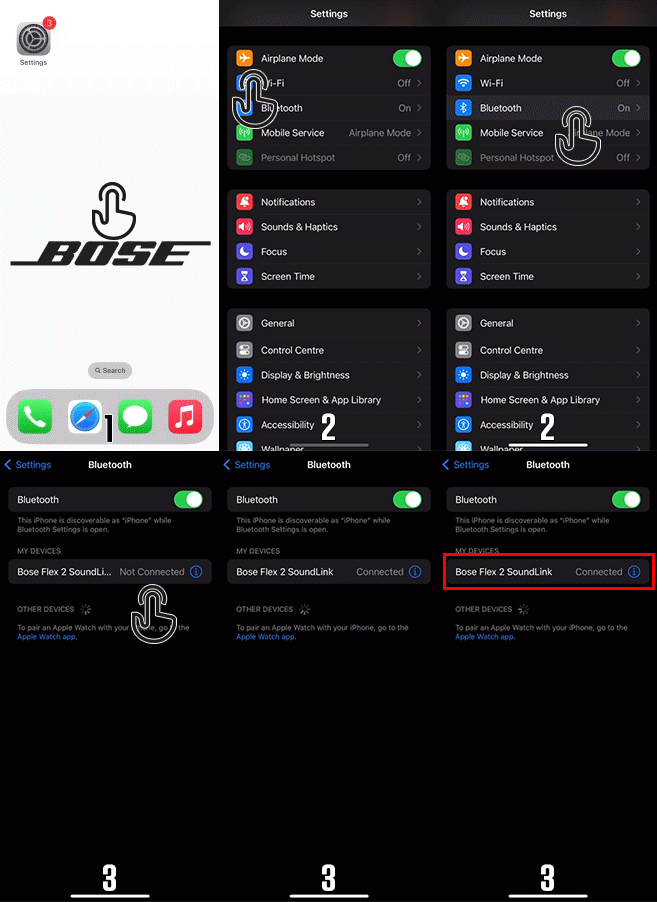
- For iPhone: Go to Settings > Bluetooth and make sure Bluetooth is turned on.
- For Android: Swipe down from the top of the screen to access Quick Settings, then tap on the Bluetooth icon, or go to Settings > Connections > Bluetooth.
- In the Bluetooth settings, you’ll see a list of devices you’ve previously paired with. Look for your Bose speaker’s name in the list of Paired Devices.
- Once you find your Bose speaker, simply tap its name. Your phone will establish a connection, and you should hear a confirmation tone from the speaker. The Bluetooth indicator will stop blinking and stay solid.
- Enjoy Your Music! Now you can play music, podcasts, or any audio from your phone through your Bose Bluetooth speaker.
If this is your first time pairing the speaker to a device, scroll down and select 'No' from the options further down the page.
Computer
Connect your speaker to a previously paired computer
Note: The image may show a different speaker, but the process is the same.

If this is your first time pairing the speaker to a device, scroll down and select 'No' from the options further down the page.

- Press the power
button on your speaker to turn it on.
- Go to your Bluetooth device settings:
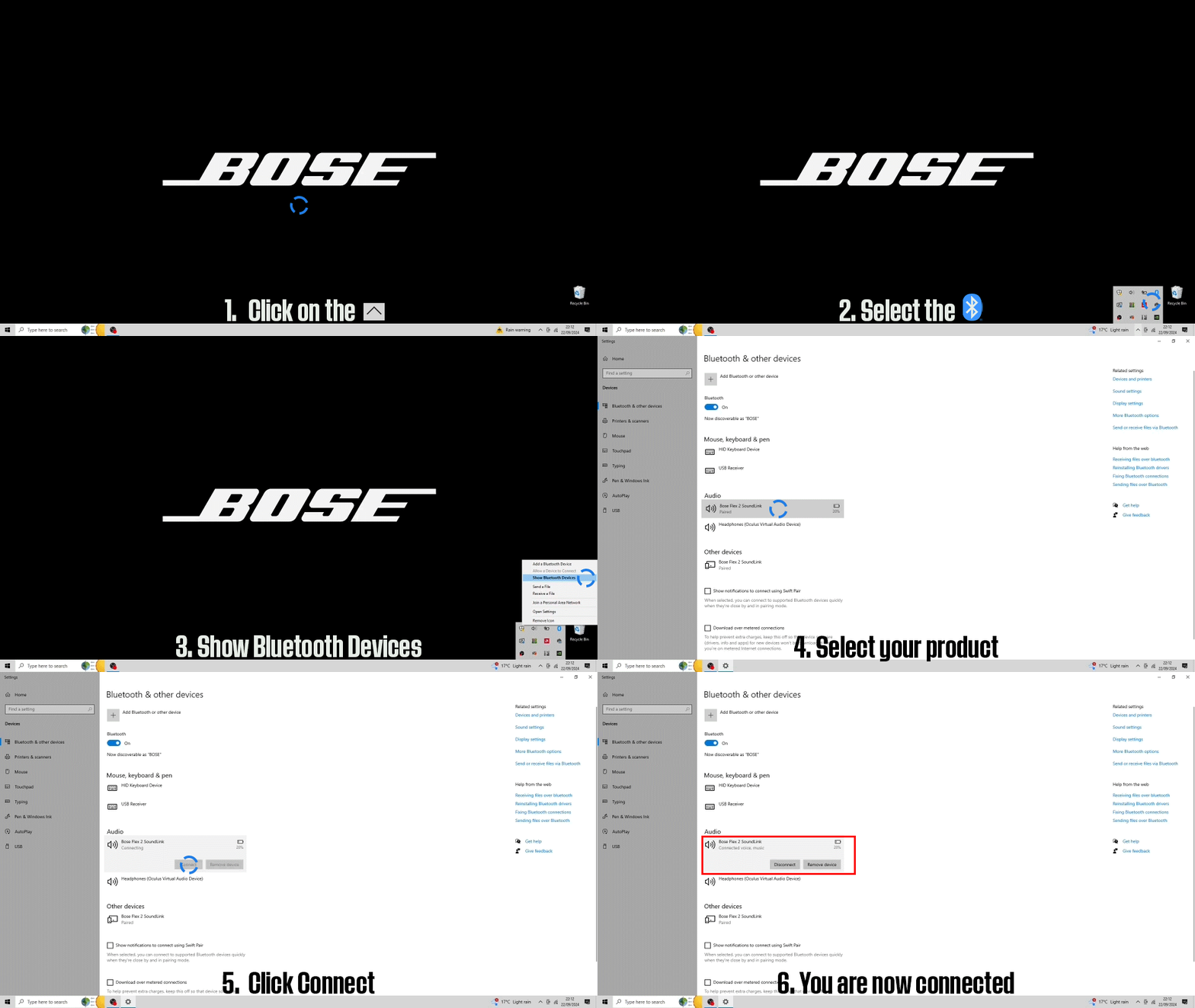
- Windows: Click the upward arrow in the system tray (bottom-right corner) to reveal hidden icons. Click the Bluetooth icon and select Show Bluetooth Devices.
- Mac: Go to the Apple menu, open System Preferences, and select Bluetooth.
- Reconnect your Bluetooth speaker:
- Windows: In the Bluetooth & other devices section, find and click on your speaker's name, then select Connect. If you have multiple devices, you may need to scroll down to the Paired devices list to locate it.
- Mac: In the Bluetooth settings, find your speaker's name and click Connect. If you have multiple devices listed, scroll to locate your speaker. Note: You may also need to adjust your Mac's sound input and output settings to use the speaker.
- Verify the connection:
- You’ll hear a sound from the speaker or see the Bluetooth light become solid, confirming it is connected.
If this is your first time pairing the speaker to a device, scroll down and select 'No' from the options further down the page.
TV
Connect your speaker to a previously paired TV
Please note that these are general steps for TV Bluetooth settings. For more specific guidance, refer to your TV brand's owner’s manual or visit their support website.
If this is your first time pairing the speaker to a device, scroll down and select 'No' from the options further down the page.
- Power on your Bose Bluetooth speaker by pressing the power
button
- Access TV's Bluetooth Settings
- Turn on your TV.
- Navigate to the TV's settings menu, typically by pressing the "Menu" button on your TV remote.
- Look for "Bluetooth" or "Audio" settings. If your TV has Bluetooth, this option will be listed.
- Connect the devices
- Under the Bluetooth settings, locate and select the speaker's name.
- Wait for the connection process to complete. Once connected, your TV will confirm the connection, and the sound will start playing through your Bose speaker.
If this is your first time pairing the speaker to a device, scroll down and select 'No' from the options further down the page.