Was this helpful?


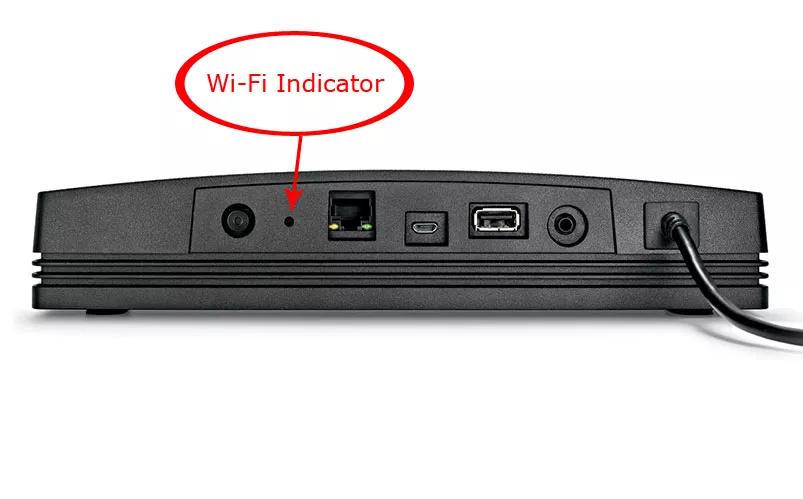

LED State: Off
Description: The adapter is unpowered, connected via Ethernet or the network is disabled

LED State: White (blinking fast)
Description: The adapter is attempting to connect to a Wi-Fi network

LED State: White (slow flash)
Description: The adapter is downloading a firmware update

LED State: White
Description: The adapter is connected to a Wi-Fi network

LED State: White (solid 3 sec, double-flash, repeat)
Description: The adapter is installing a firmware update

LED State: Amber (blinking)
Description: The adapter failed to connect to Wi-Fi / network error

LED State: Amber (blinking fast)
Description: The adapter has a firmware error

LED State: Amber (solid)
Description: The adapter is in setup mode broadcasting its "Bose SoundTouch Wi-Fi Network"
| LED Color | 1st Blink | 2nd Blink | 3rd Blink | 4th Blink |
|---|---|---|---|---|
| Off | No power | N/A | N/A | N/A |
| Green | Adapter detected | Streaming | ADAPTiQ On | Left channel only |
| Orange | Adapter not detected | Not streaming | ADAPTiQ Off | Right channel only |
| Green and Orange | N/A | N/A | N/A | Both channels okay |
.png)


