Was this article helpful?


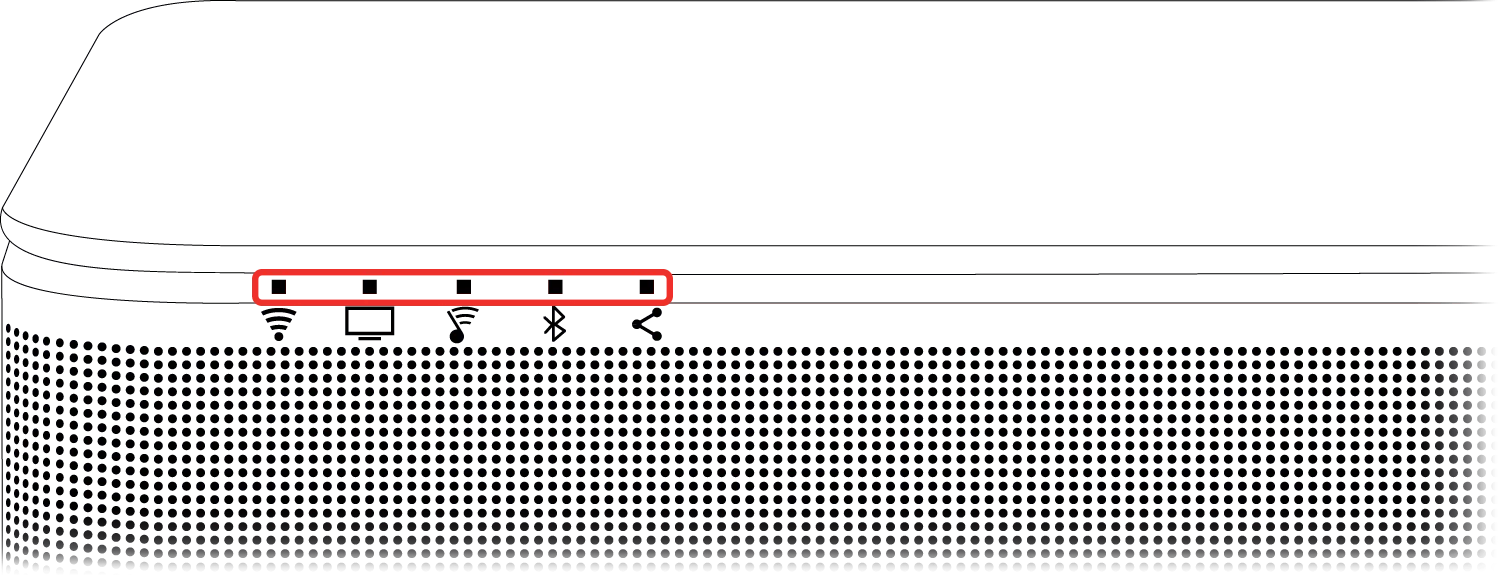
 Wi-Fi and
  SoundTouch indicator lights
Status: White - Flashing alternately
Disconnect USB cable.
These lights flash when the system has been updated via USB but the USB cable was not disconnected upon completion.
Wi-Fi indicator light
No power or Wi-Fi function disabled

Connecting to Wi-Fi while system is powered on

Connecting to Wi-Fi while system is powered off

System/source muted

Installing firmware update

Connected to Wi-Fi while system is powered on

Connected to Wi-Fi while system is in power saving mode

Disconnected from Wi-Fi

System in setup mode (broadcasting "Bose SoundTouch Wi-Fi Network")
 TV indicator light
A connected source (i.e. TV, CBL/SAT, AUX) is selected

Dialogue mode is enabled for the selected connected source (i.e. TV, CBL/SAT, AUX)

Persistent Dialogue mode is enabled for the selected connected source (i.e. TV, CBL/SAT, AUX)
Note: Double blink occurs when persistent mode is enabled. Once enabled, the light remains solid green
System/source muted
SoundTouch indicator lightConnecting to a SoundTouch source
SoundTouch source is playing
Station or library not found, request/general error or station/service is unavailable

Preset empty or music service's track skip limit reached
Note: Double blink occurs when remote/app control is pressed. After, the light returns to its previous state
Dialogue mode is enabled for the SoundTouch source
Persistent Dialogue mode is enabled for the SoundTouch source
Note: Double blink occurs when persistent mode is enabled. Once enabled, the light remains solid green
System/source muted
 Bluetooth indicator light
System is in discoverable mode and ready to pair to a Bluetooth device
Bluetooth source is connecting
Bluetooth source is connected

Bluetooth paired device memory cleared
Note: Double blink occurs when 'clear' command is received. After clearing, the light flashes blue, indicating it is ready to pair a new Bluetooth device
Dialogue mode is enabled for the SoundTouch source
Persistent Dialogue mode is enabled for the SoundTouch source
Note: Double blink occurs when persistent mode is enabled. Once enabled, the light remains solid green
 Connectivity indicator light
Connecting
Successful connection to bass module or surround speakers
Note: This indicator glows for 30 seconds, then turns off
Disconnection of bass module or surround speakers from the soundbar
Accessory wireless surround speakers are not detected. For more info, see Wireless rear speakers setup cannot complete
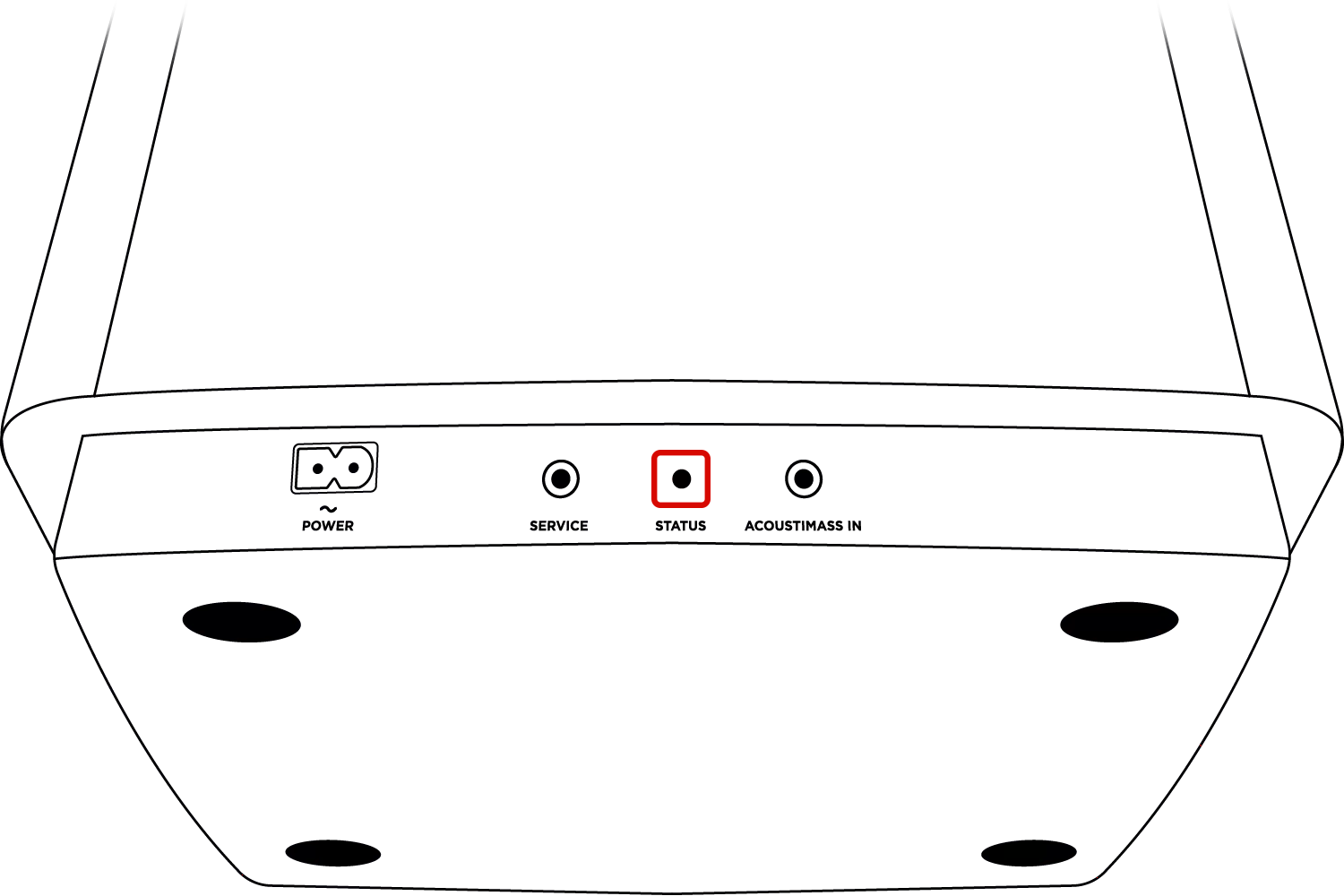

Power-saving mode

Ready to pair

Disconnected from the soundbar or control console

Connected to soundbar or control console

Downloading system update
Unknown error. Bass module requires service
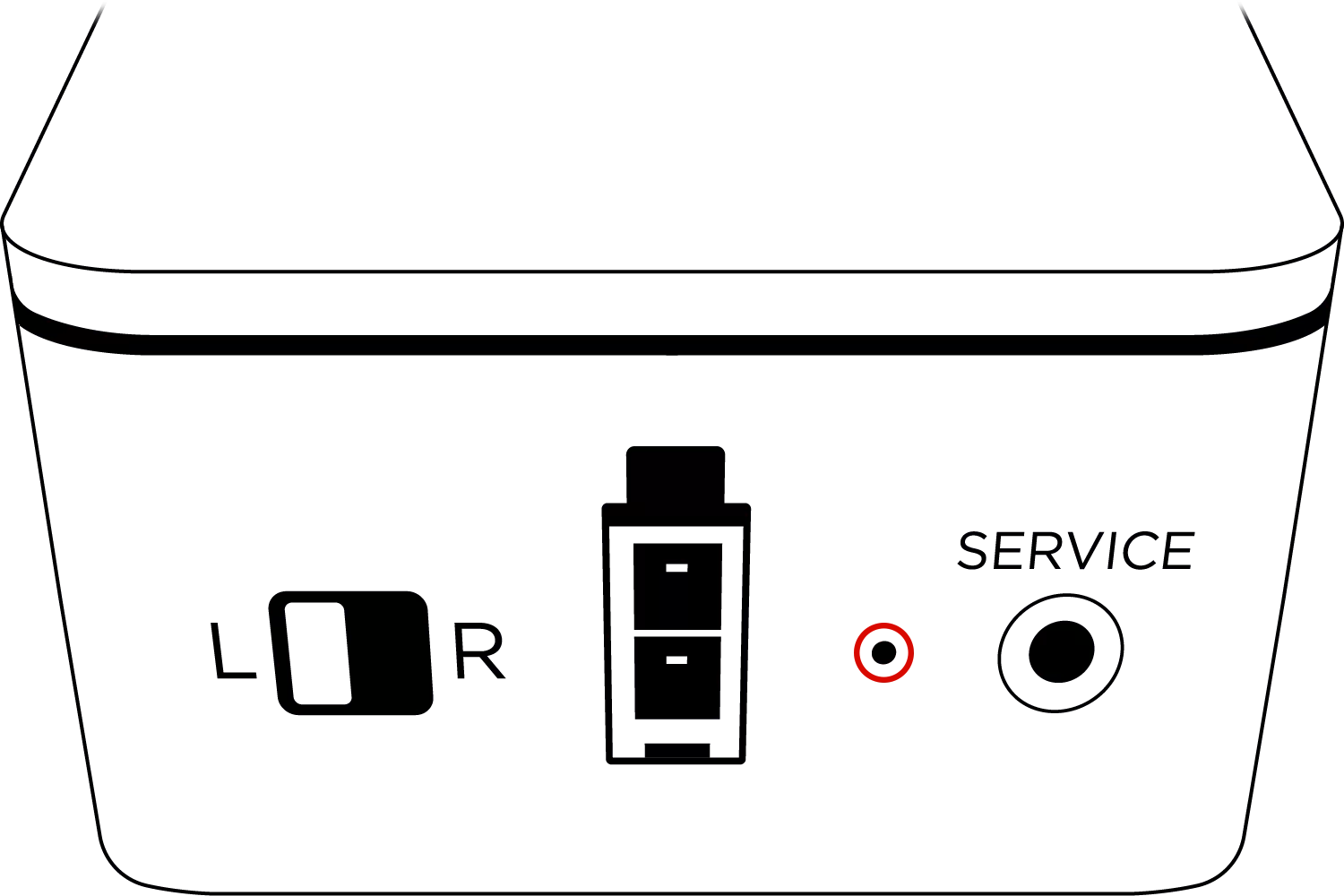
Ready to pair
Disconnected from the soundbar or control console
Connected to soundbar or control console
Downloading system update

Firmware error
.png)


